Send Text to Selected Candidates
Skip to main content
How Can We Help?
Instructions
To send SMS Text to Candidate or Contact, please follow these steps:
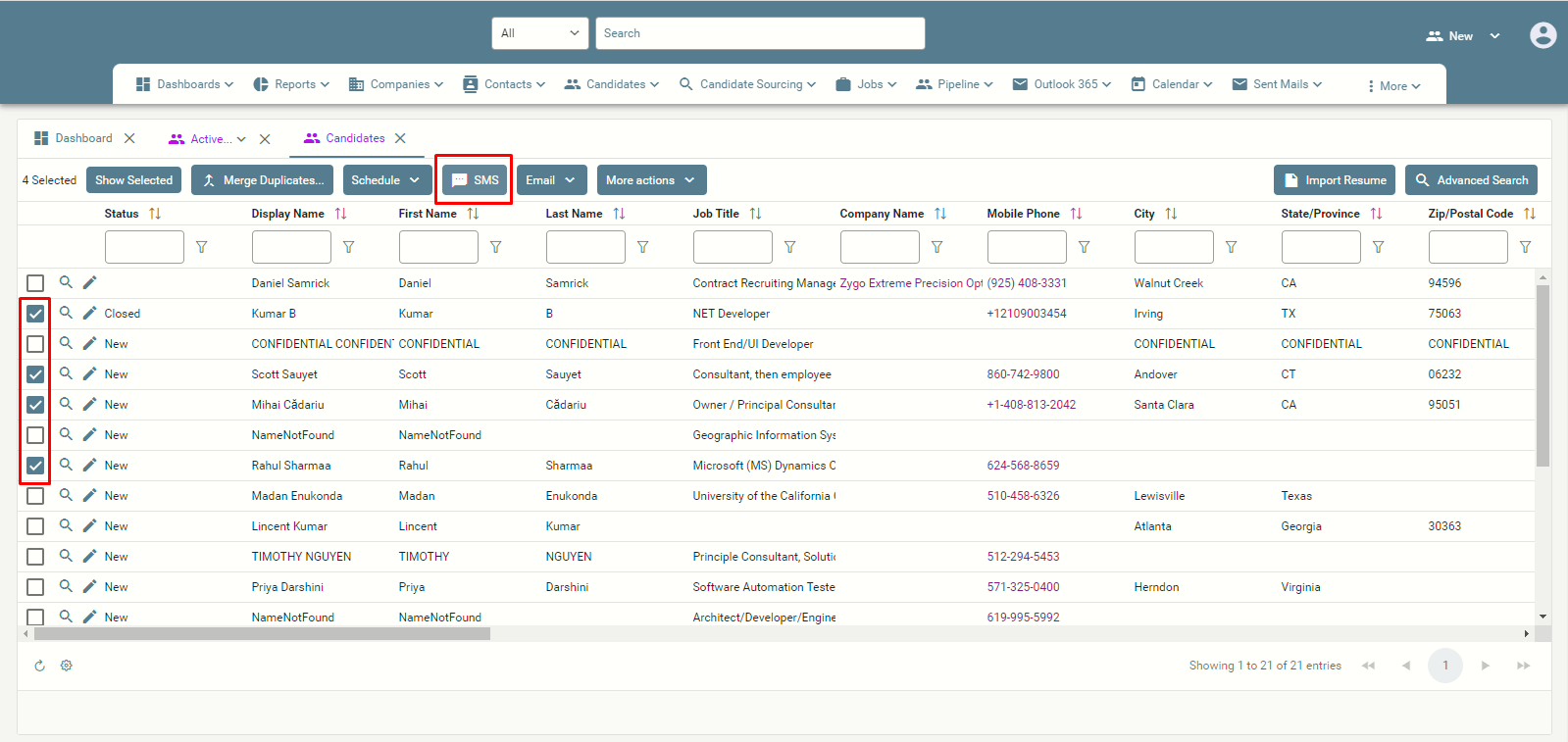
- Select a Candidate(s) or Contact(s) and click on the “SMS” button on the menu bar.
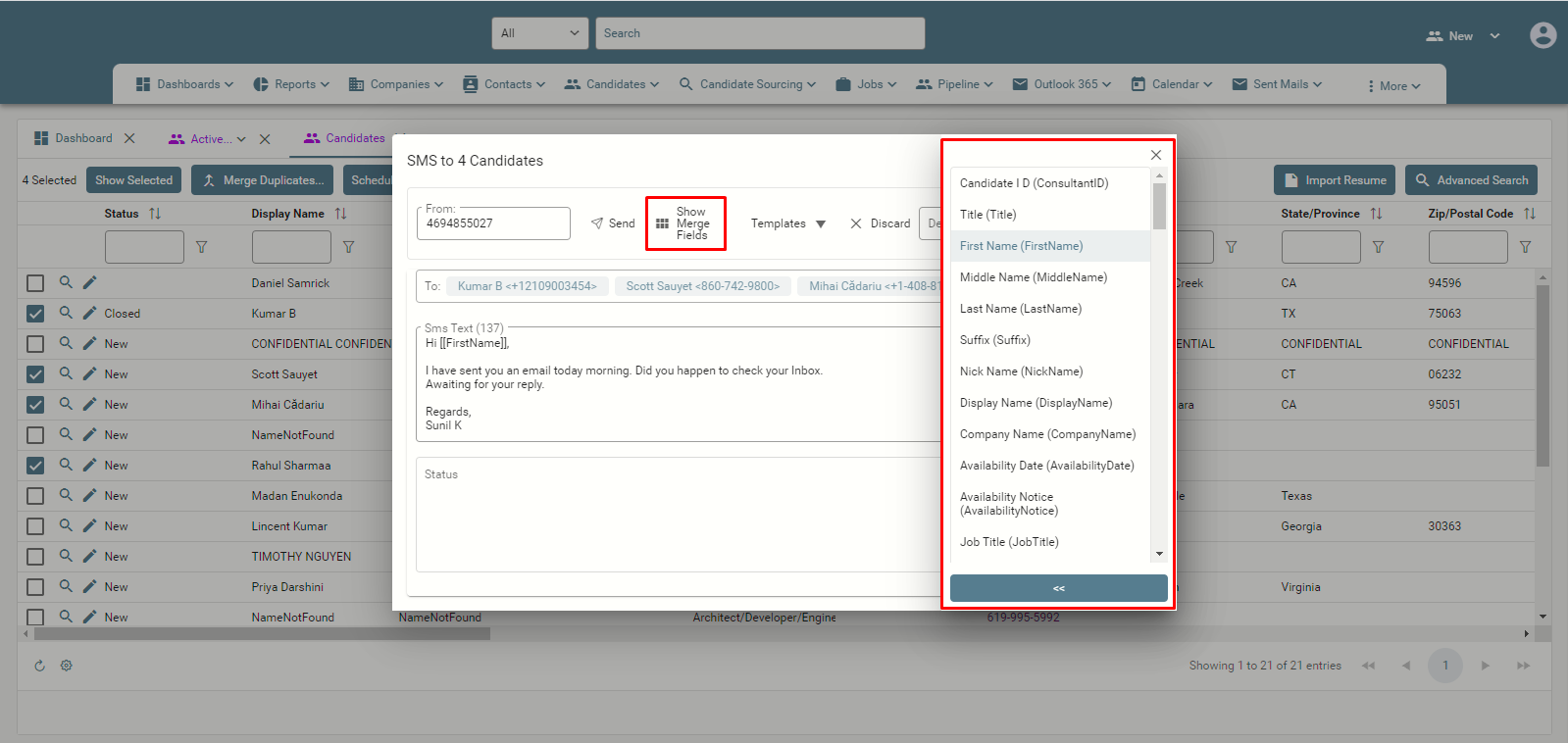
NOTE: User have an option to choose either one Candidate/Contact record or multiple Candidate or Contact records from the view(s). - A new Text window will pop-up.
- Enter the SMS Text and click on “Send” button.
Please refer to the below screen shots on how to send SMS.