

Import Candidate from a Single Resume File
Skip to main content
How Can We Help?
Instructions
To import candidates from one resume file at a time, please follow these steps
- In Exelare Web
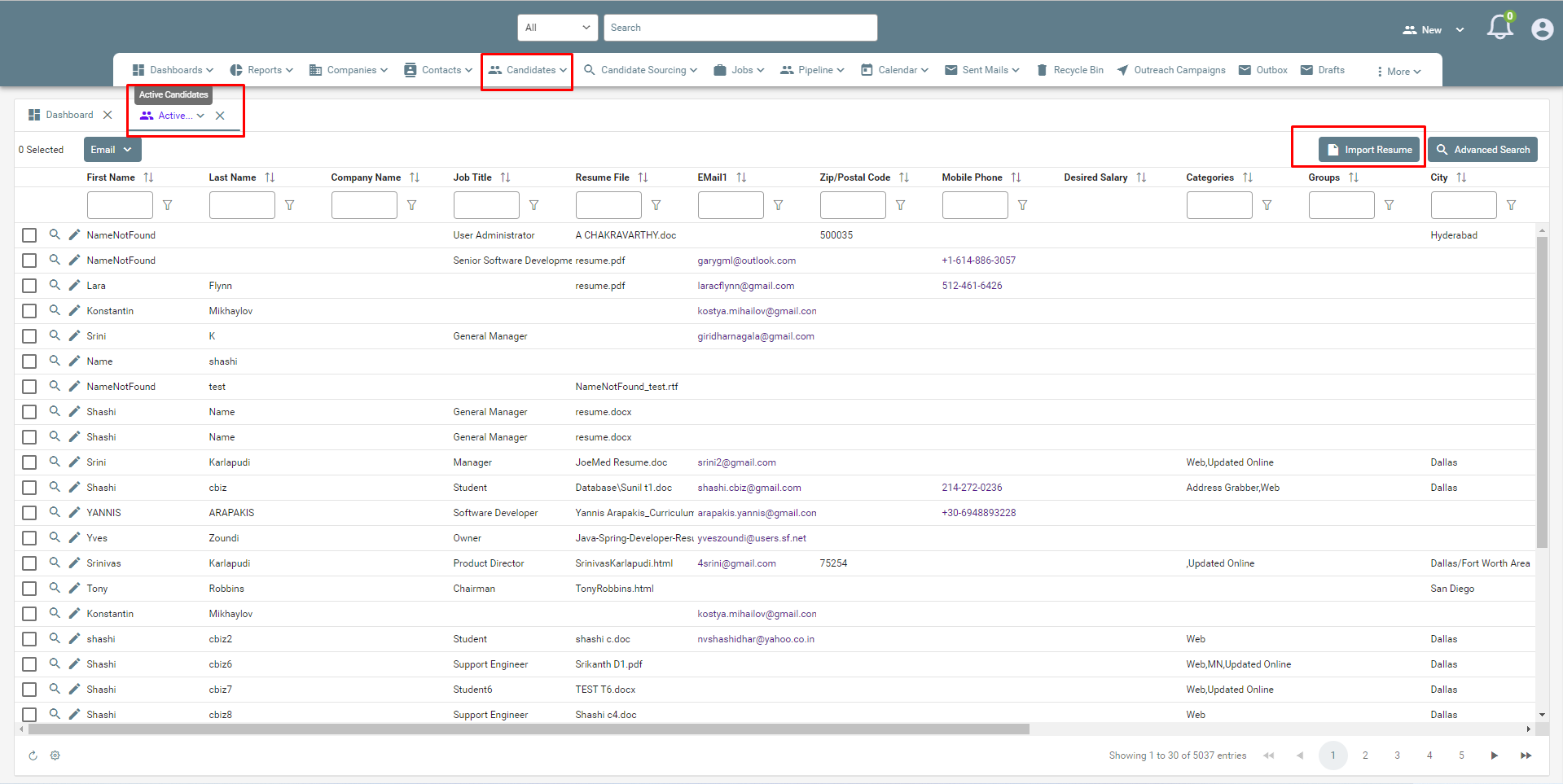
- Open a Candidates Tab (Active Candidates)
- Click on the ‘Import Resume’ button
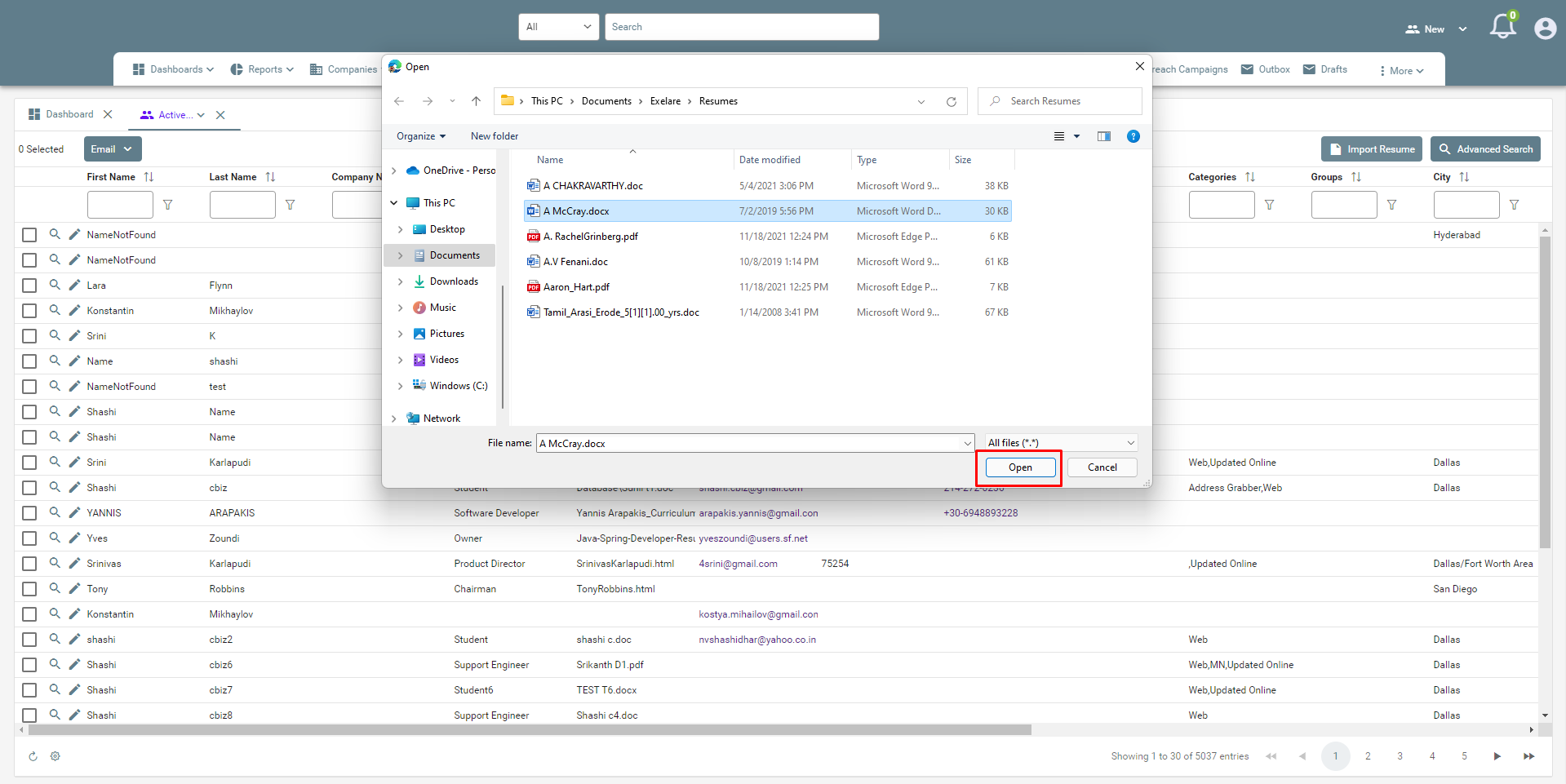
- Browse and select the file from your local system
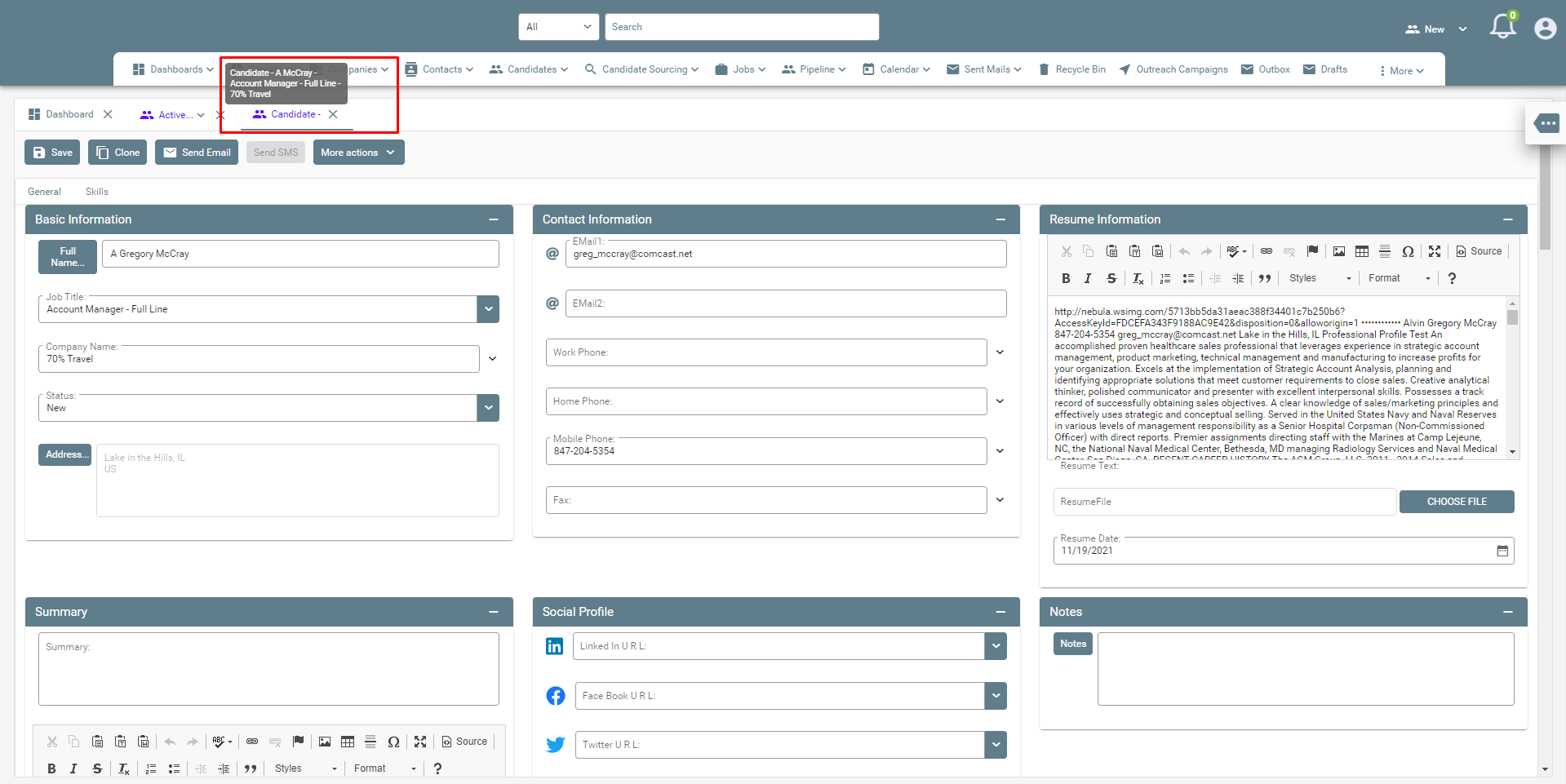
- Once the candidate is added, Exelare will open a new tab with the candidate details.
Please also see: Import Candidates From Multiple Files (Bulk Resume Import)