Adding to Static Views (Saved Lists)
Skip to main content
How Can We Help?
To add a Company, Contact, Candidate or Job Record to a Static View, please follow the steps below
- Locate any Company, Contact, Candidate or Job Record. Hint: You can select multiple records at the same time
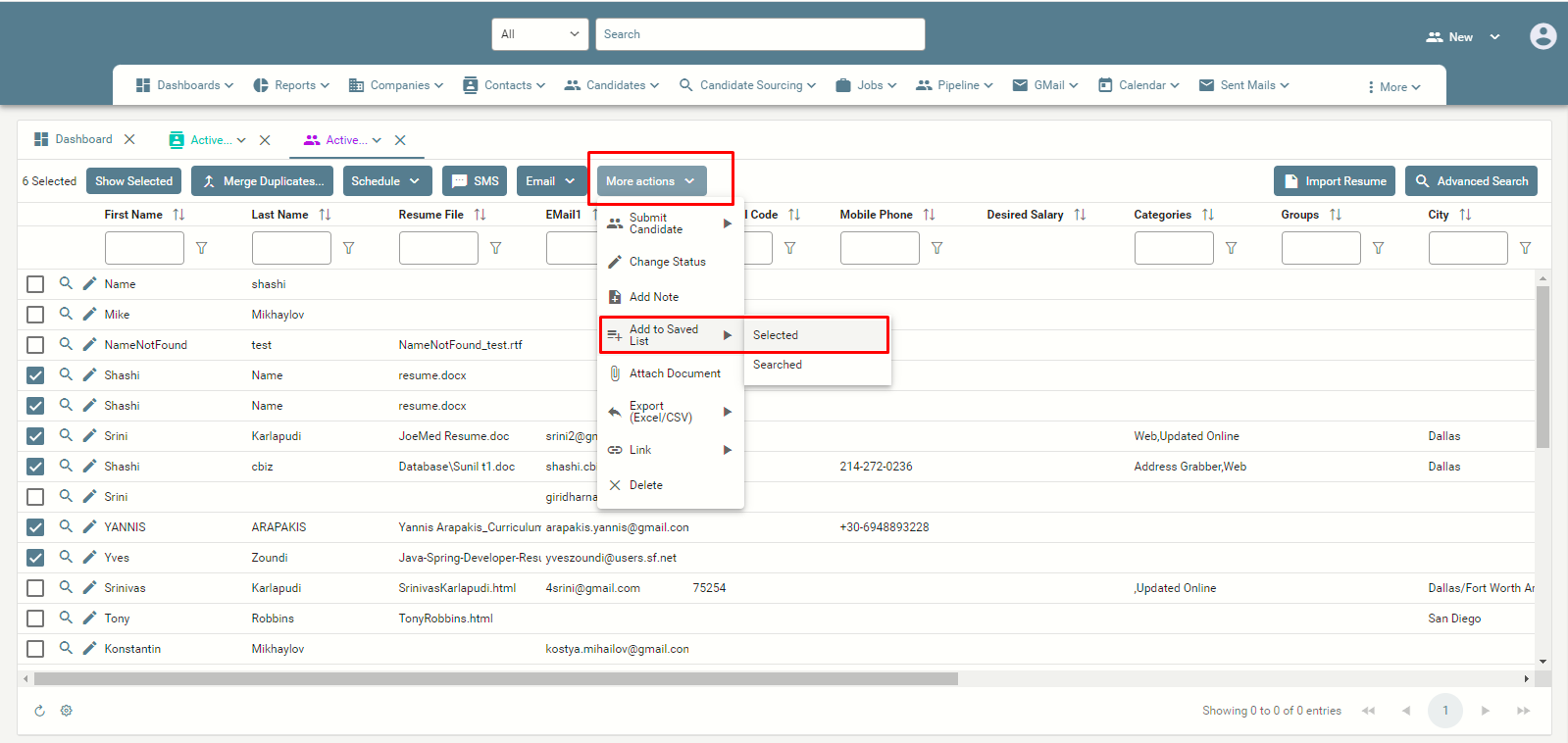
- Click on the ‘More Actions’ button and select ‘Add to Saved list > Selected’
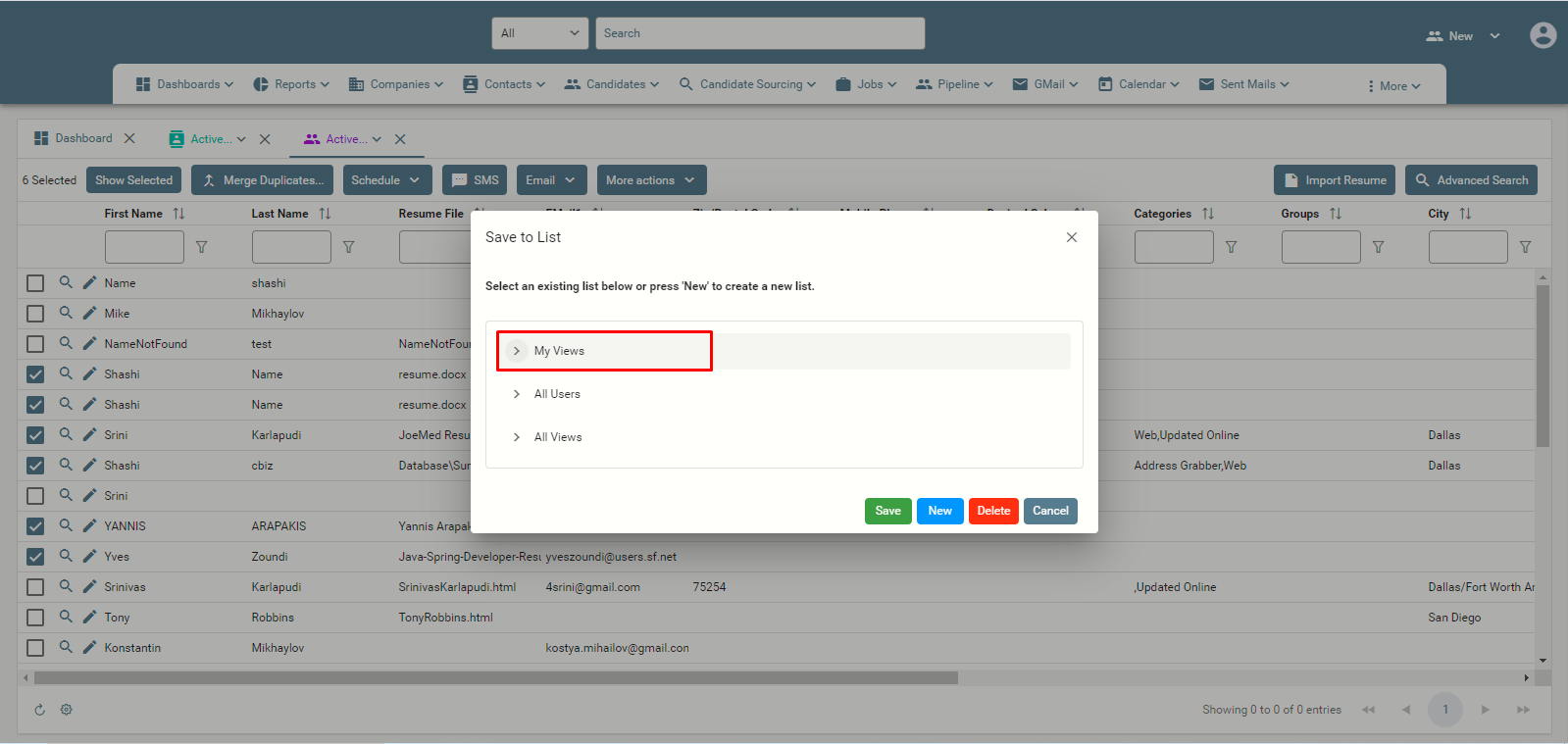
- A new window will pop up
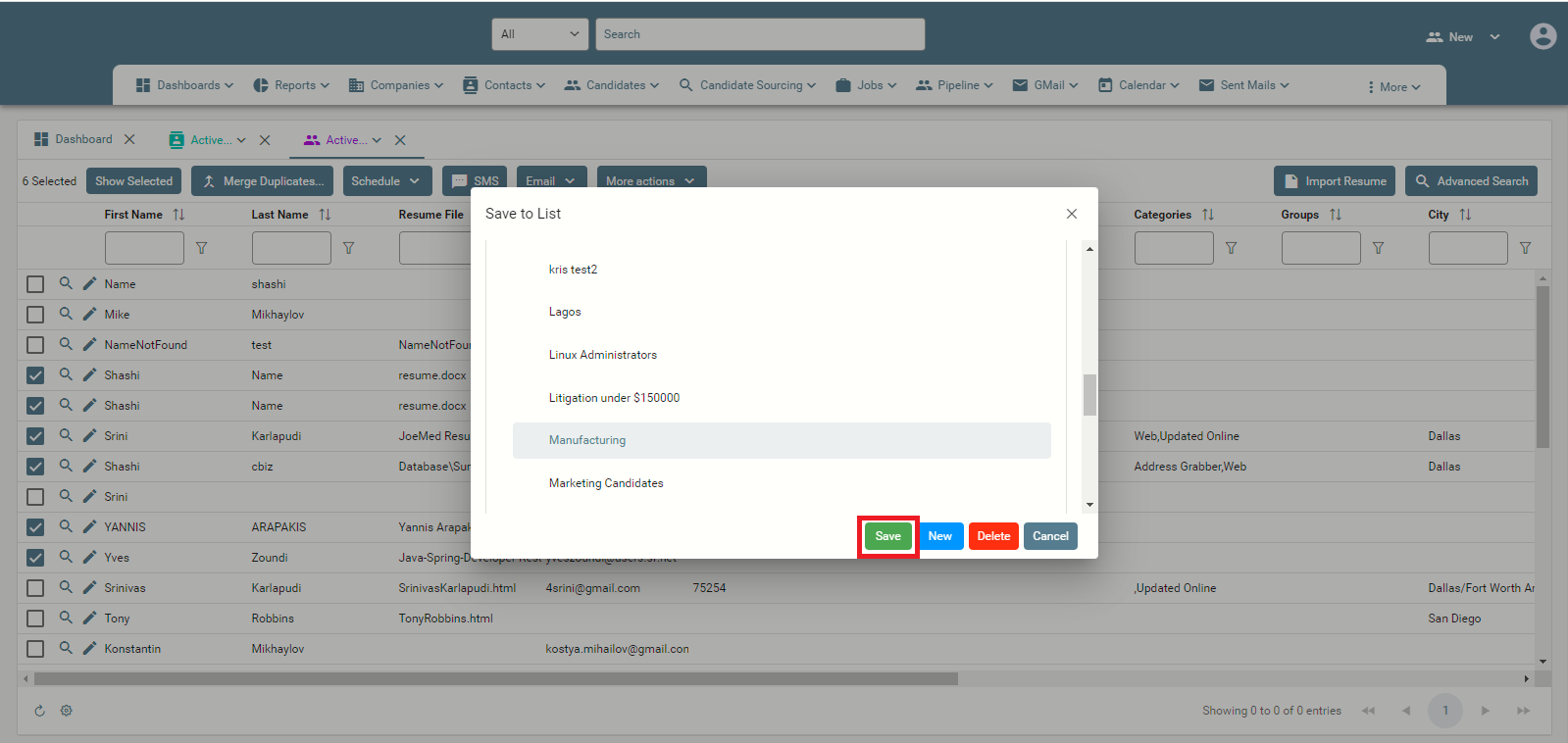
- Locate the desired Saved List under My Views
- Click ‘Save’