

Link Candidates to Companies
Skip to main content
How Can We Help?
Candidates that are not linked to the respective Company, can now be easily linked by their matching Company Name or by any other
field(s) in Exelare.
To Link Candidates to Companies,
- In Exelare, click on Settings (gear icon
 , at the top right corner) -> Advanced -> Link Candidates to Companies.
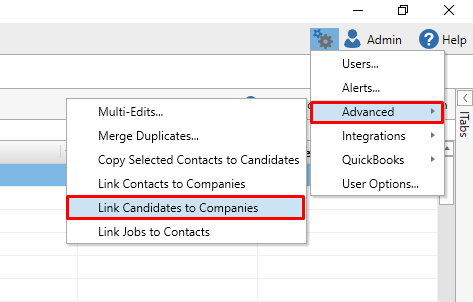
- Choose your Conditions like,
Candidates -> CompanyName = Companies -> CompanyName
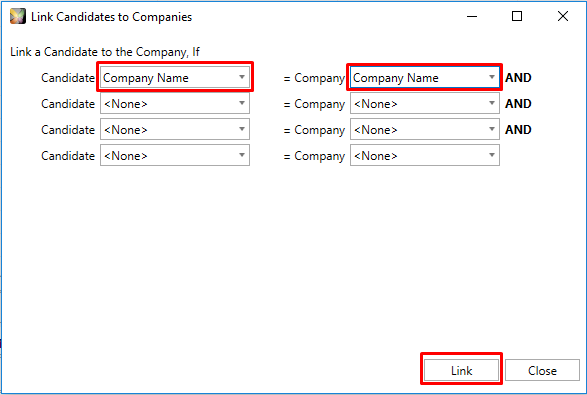
- Click on Link
- Once the process is completed, click on Close.