Setup Outlook Integration – Installing the xBar Outlook Plugin
To integrate your Exelare Emails & Calendar with Outlook, please install our Outlook Plugin, the xBar inside of Outlook. Below are instructions on how to do this.
Installing xBar in Outlook
Step 1:
Click the following link to download xBarSetup file.
Click here to find out what version of Outlook I am running?
For Outlook 32 (bit) edition: xBarSetup 32
For Outlook 64 (bit) edition: xBarSetup 64
Step 2:
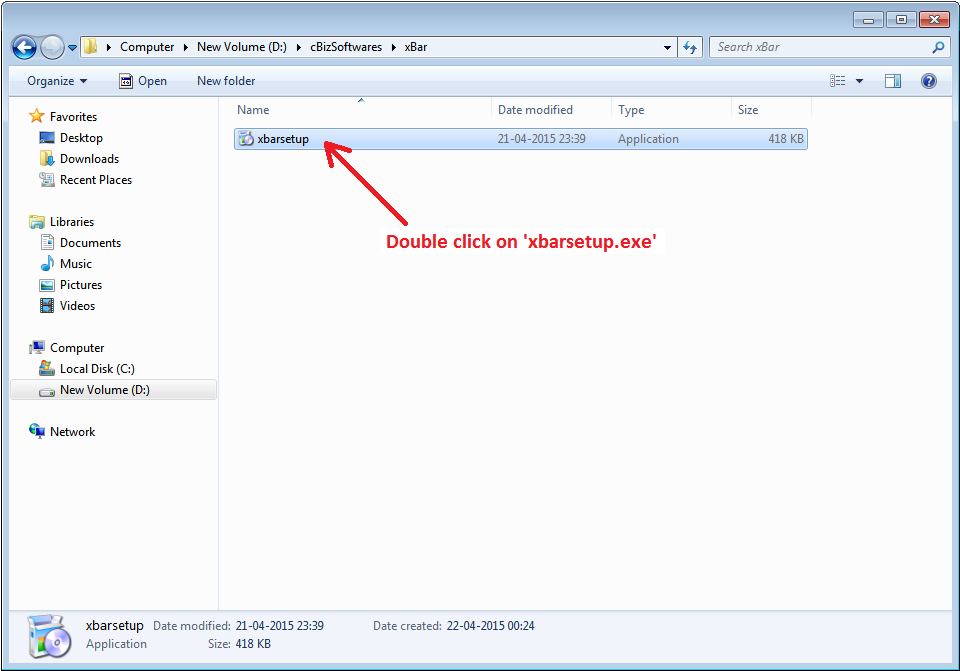
Double click on “xbarsetup.msi” file. Now it will open the pop-up window.
Step 3:
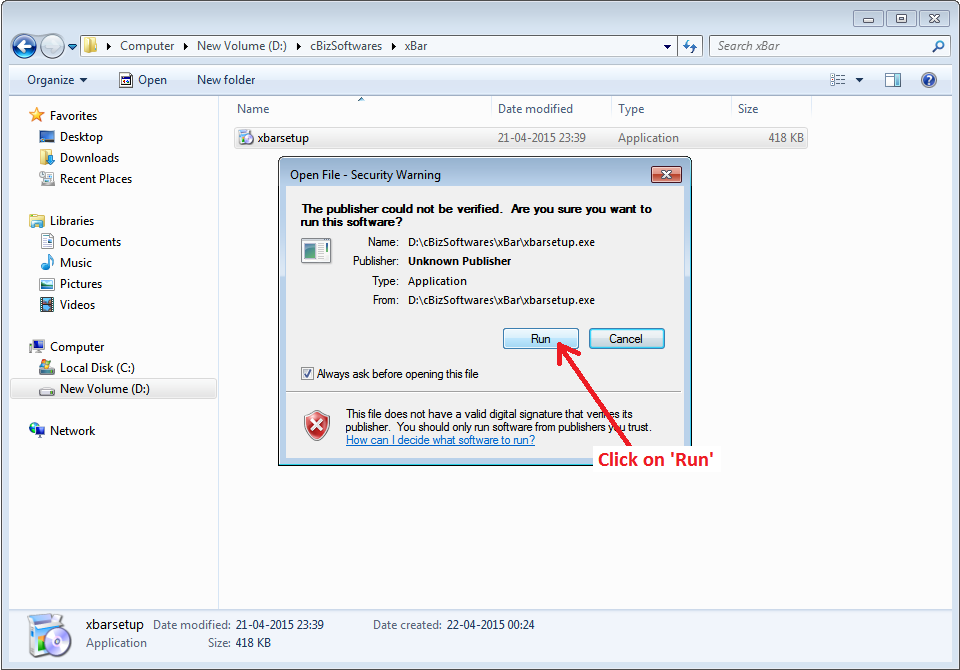
Now click on “Run” button in the pop-up window. It will open the xBar pop-up window.
Step 4:
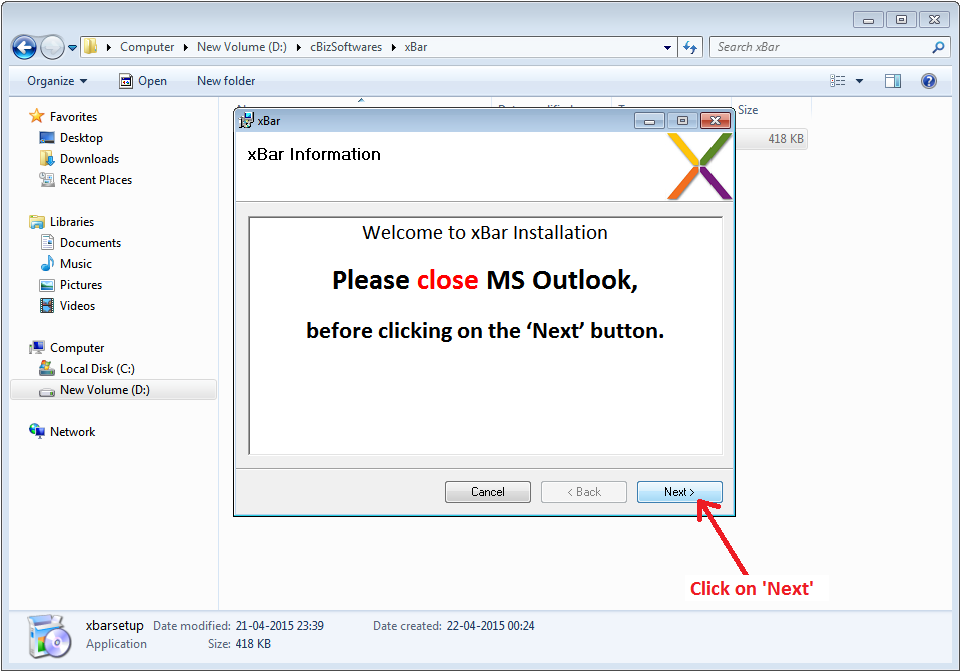
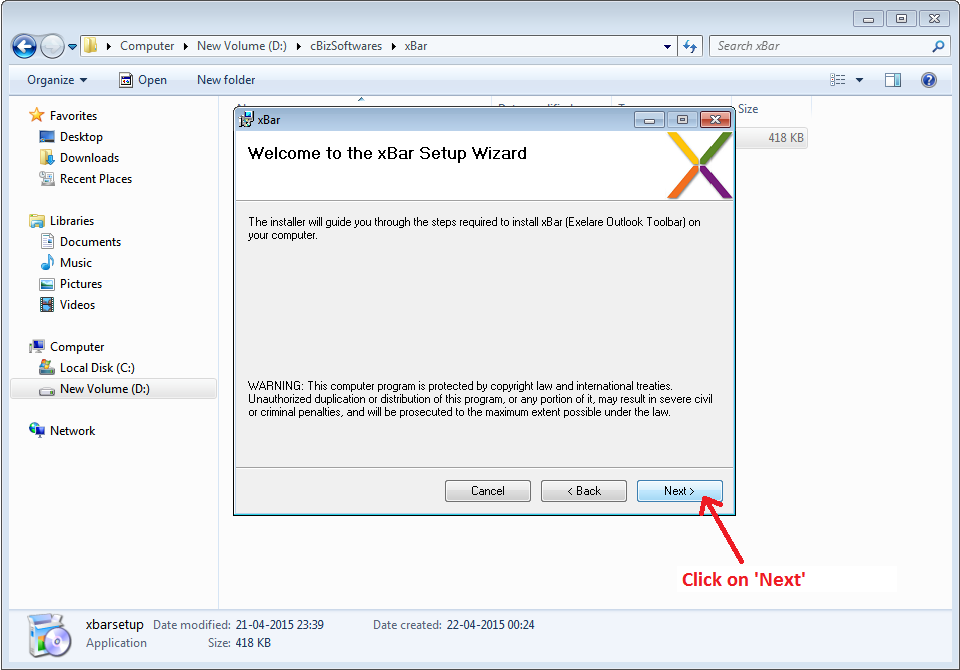
Now click the “Next” button in the xBar pop-up window. Please close MS Outlook, before clicking on the “Next” button.
Step 5:
Now click the “Next” button.
Step 6:
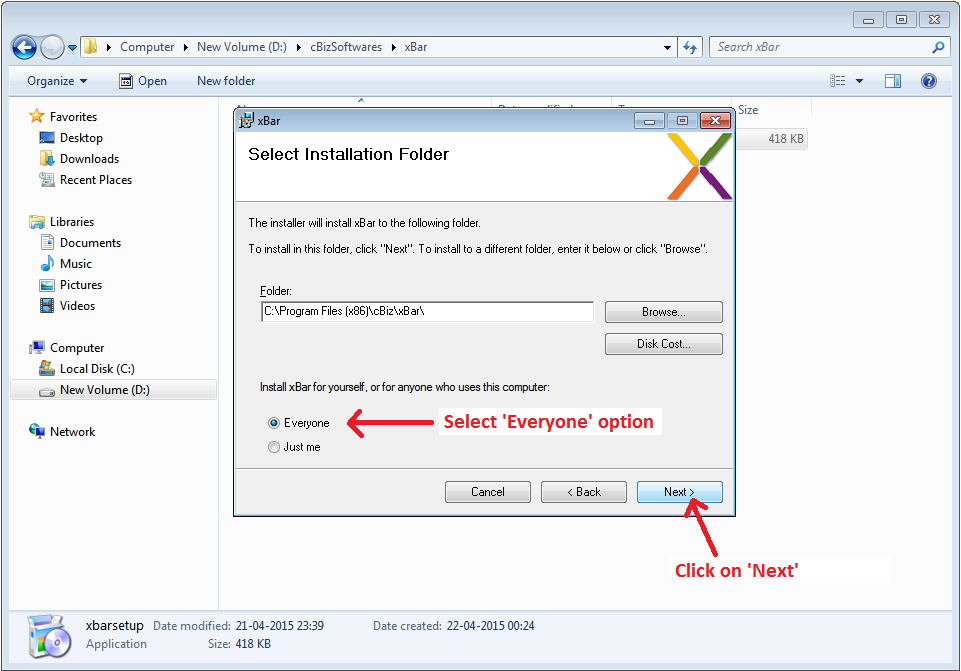
Select “Everyone” from the below radio buttons and click on “Next” button.
Step 7:
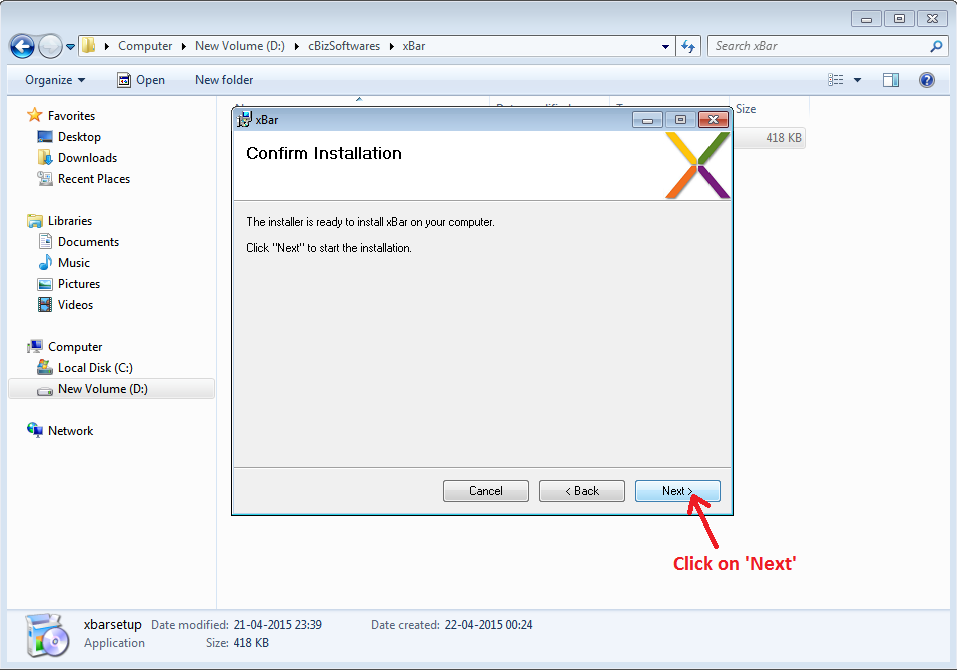
Click on “Next” button. Now installer will install the xBar into your computer.
Step 8:
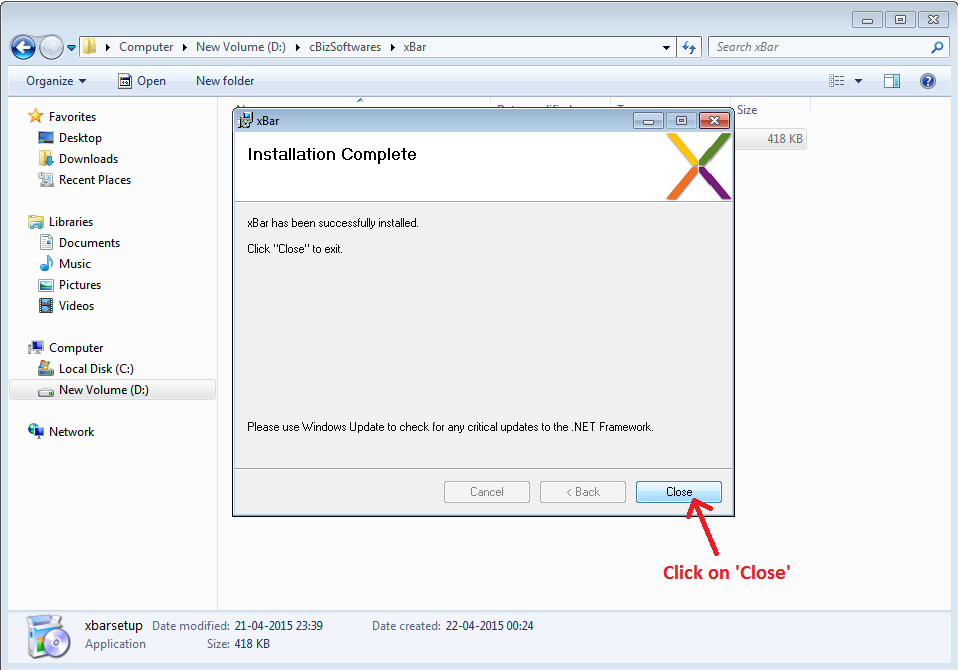
Click on “Close” button. This will complete the installation process.
How to Login in xBar
Step 1:
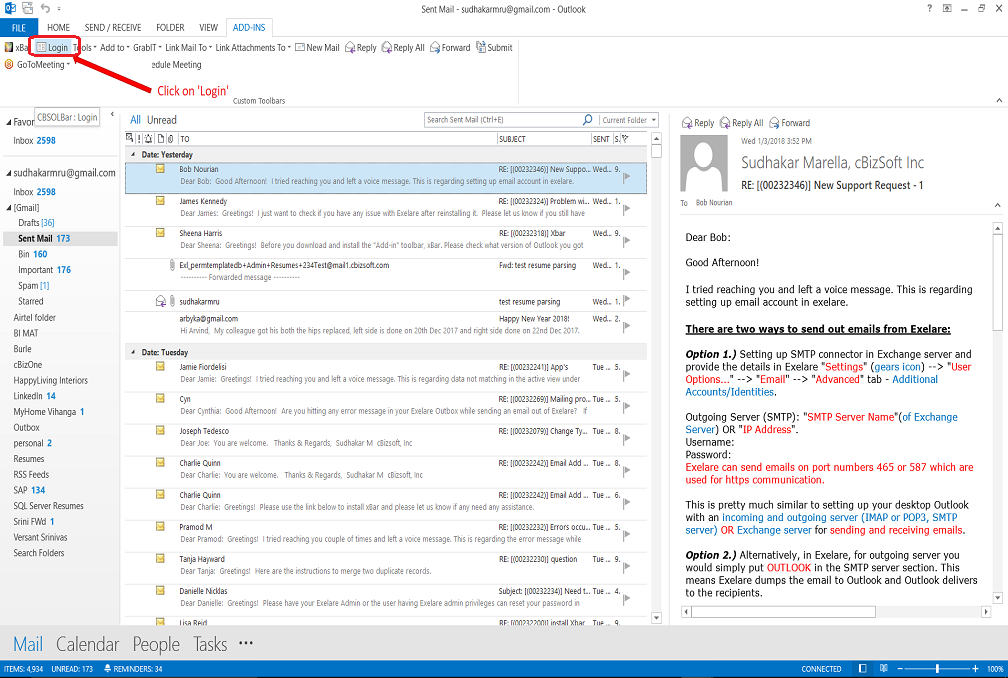
Open MS Outlook and Click on “Login” in the xBar Outlook Toolbar.
Step 2:
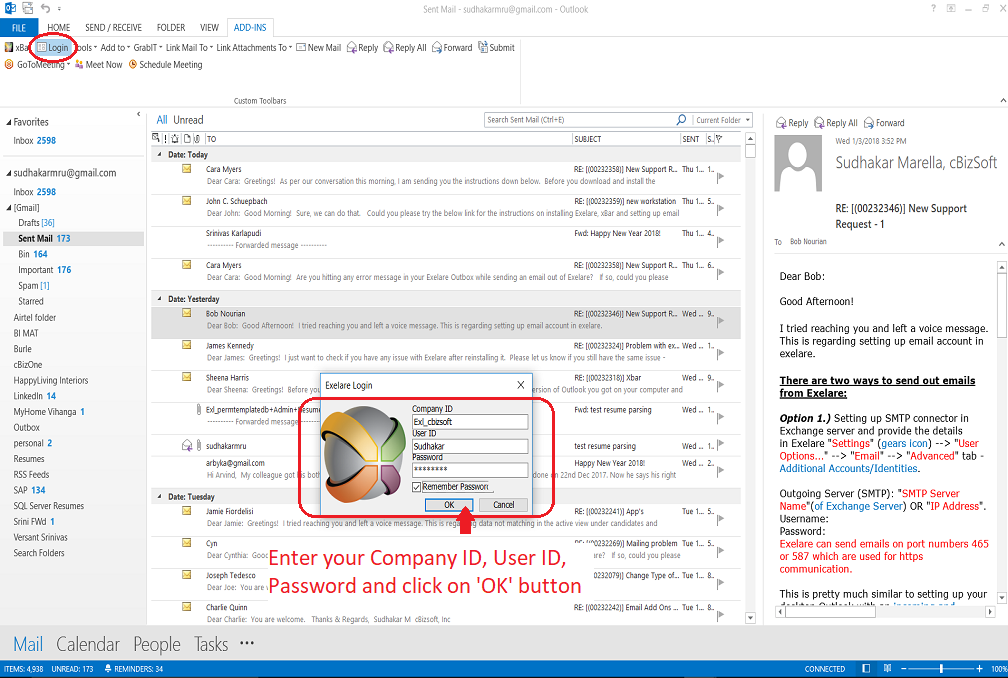
Enter the details in the form and Click on “OK“.
Step 3:
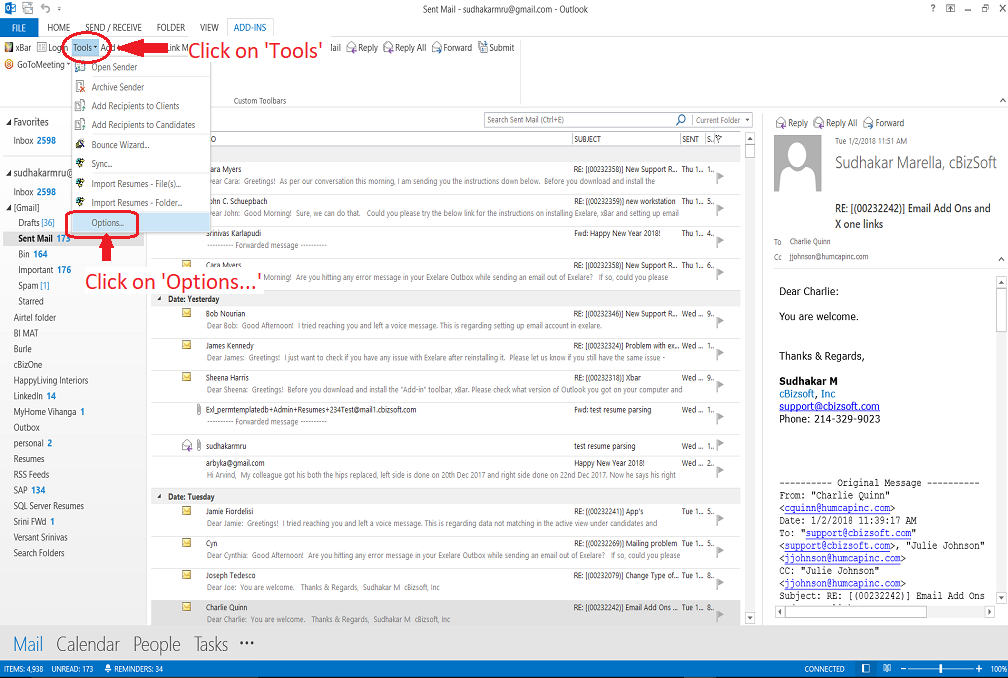
Click on the “Tools” tab and select “Options…“.
Step 4:
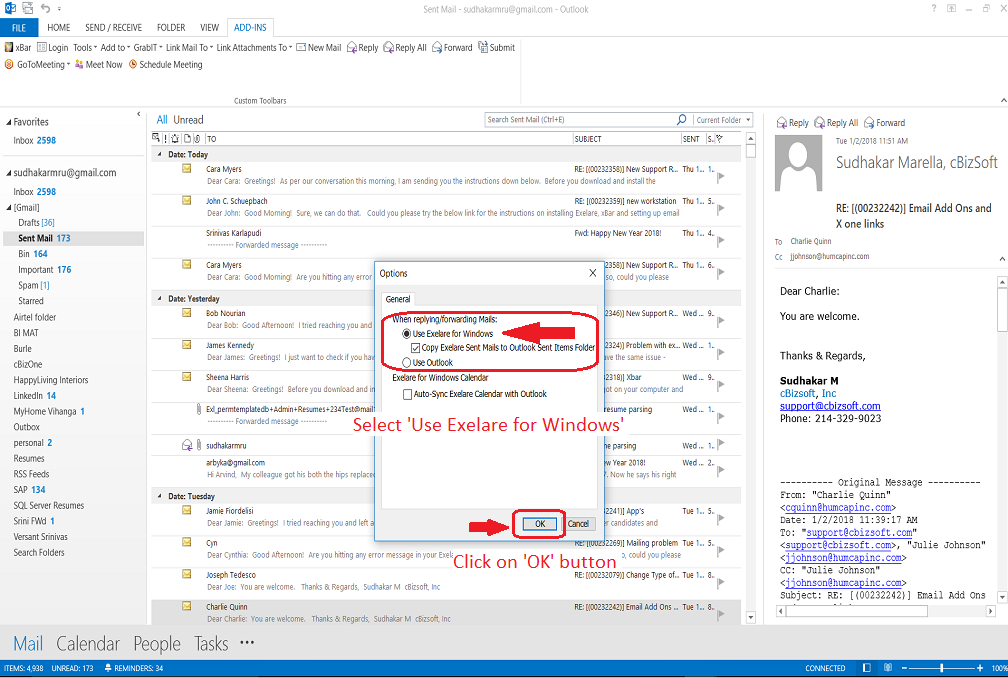
Select “Use Exelare for Windows” from ”Options” and click on “OK“.