

Exelare DocuSign
Exelare DocuSign
Using the global standard for Digital Transaction
Management, DocuSign® for Exelare® is the easiest, fastest, most secure way to
send, sign, track and store documents.
Fully integrated with Exelare, DocuSign helps users close
more deals, faster. Your customers can sign contracts within minutes from
anywhere, anytime and on any device. Add the power of eSignature to your Exelare
with the DocuSign API.
Electronic signatures are just the beginning. DocuSign
makes any workflow or approval simple, secure and fully digital, so you can get
on with your business, and your life.
DocuSign on the go
with Exelare:
Send a document for eSignature or DocuSign, from within
the Exelare. Using DocuSign with Exelare means that users can stay connected
and close business faster on the go, all from within the Exelare. Select “Pick
Templates to sign” from the menu of Actions by doing a Right-Click on
candidate and email from Exelare.
You can create your Contract, Referral or any Document
Templates in Exelare and would be able to send those documents to any candidate/contact in just couple of clicks.
To setup DocuSign API integration with Exelare, please sign up with DocuSign from the following link,
https://www.docusign.com/products-and-pricing (subscribe with either “Business Pro” plan or higher)
If you are unsure, please send an email to Support@cBizSoft.com
with your interest in DocuSign. One of our support rep will contact you and help you with DocuSign setup
process. Once your DocuSign account is activated you can follow the below steps
to utilize the DocuSign feature in Exelare.
Enter DocuSign
login credentials in Exelare:
1)
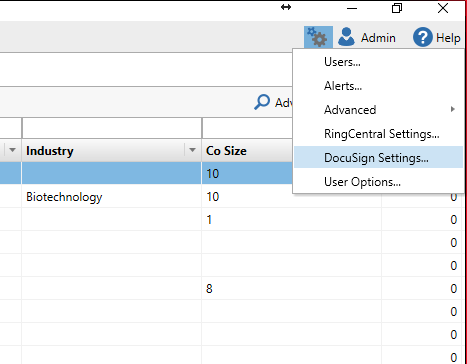
In Exelare, click on Settings -> DocuSign
Settings
2)
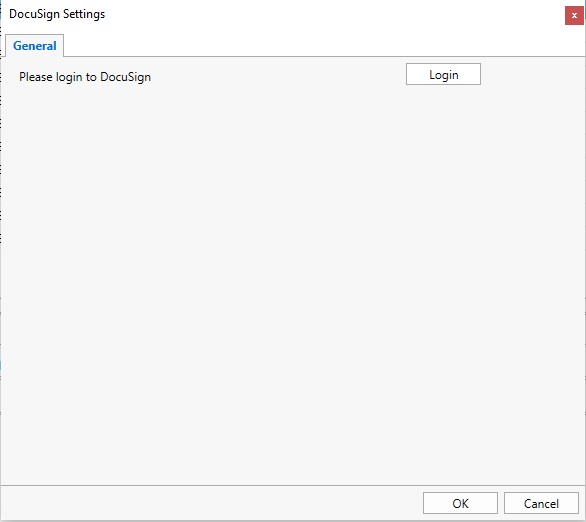
Click on “Login”
3)
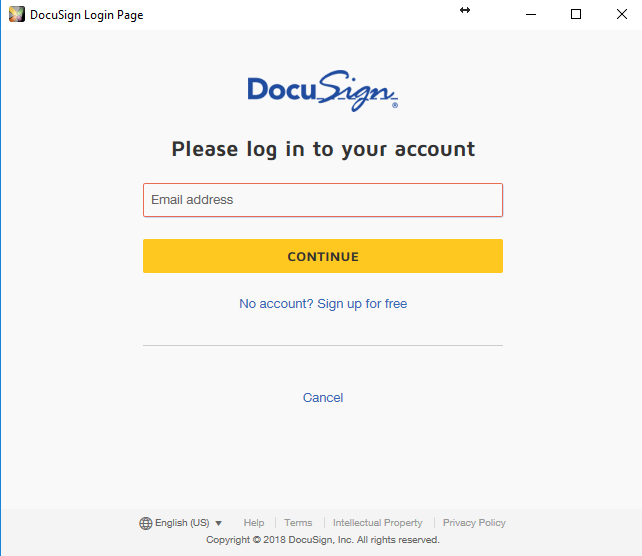
Enter your DocuSign login details (Email Address
& Password) and click on Login.
Setup DocuSign
Templates in Exelare:
1)
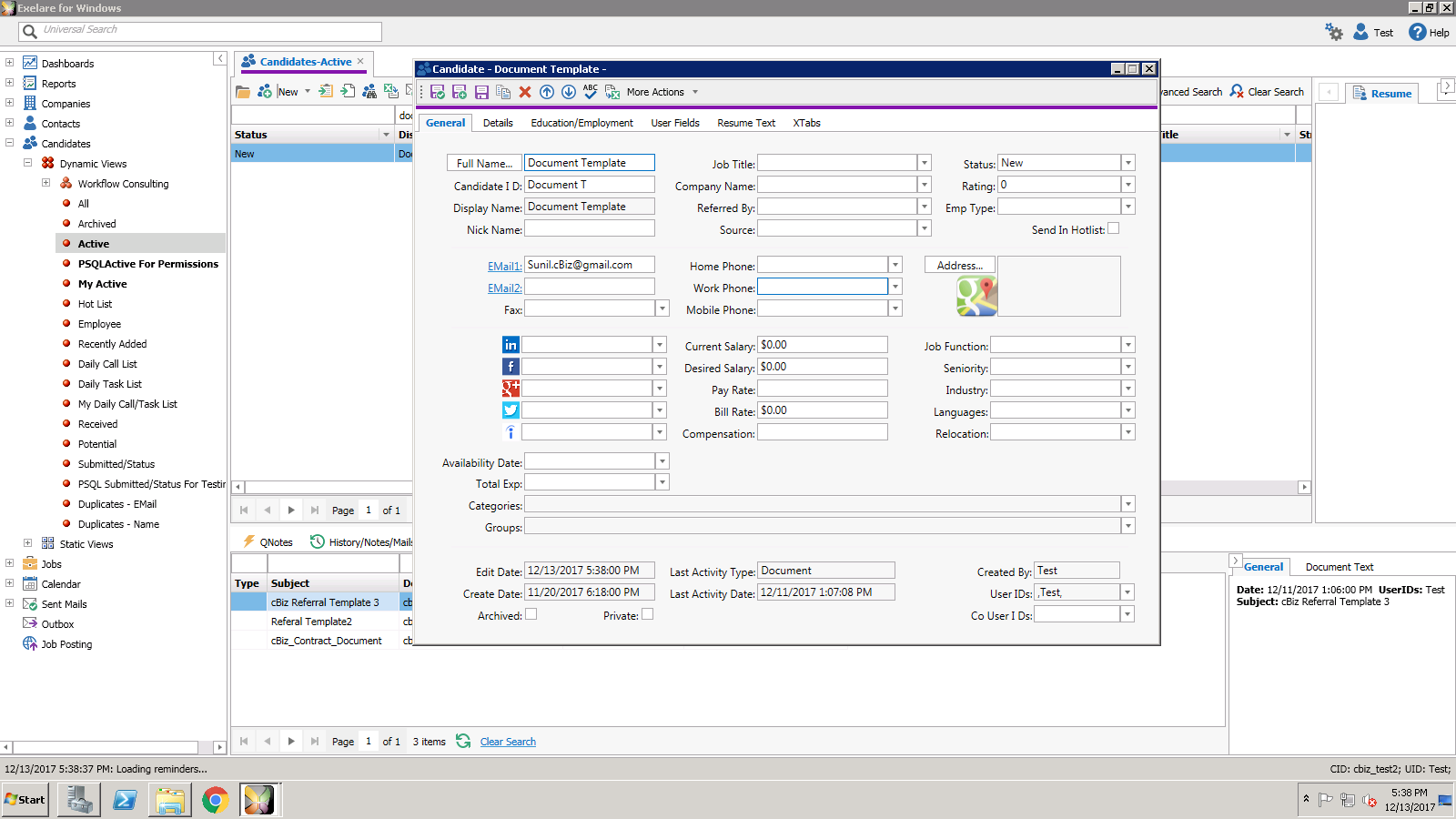
In Exelare, create a candidate with Full Name as
“Document Template”.
2)
Create your Document Template(s) and attach
those to the candidate named “Document Template”. You can attach as many
document templates as you want.
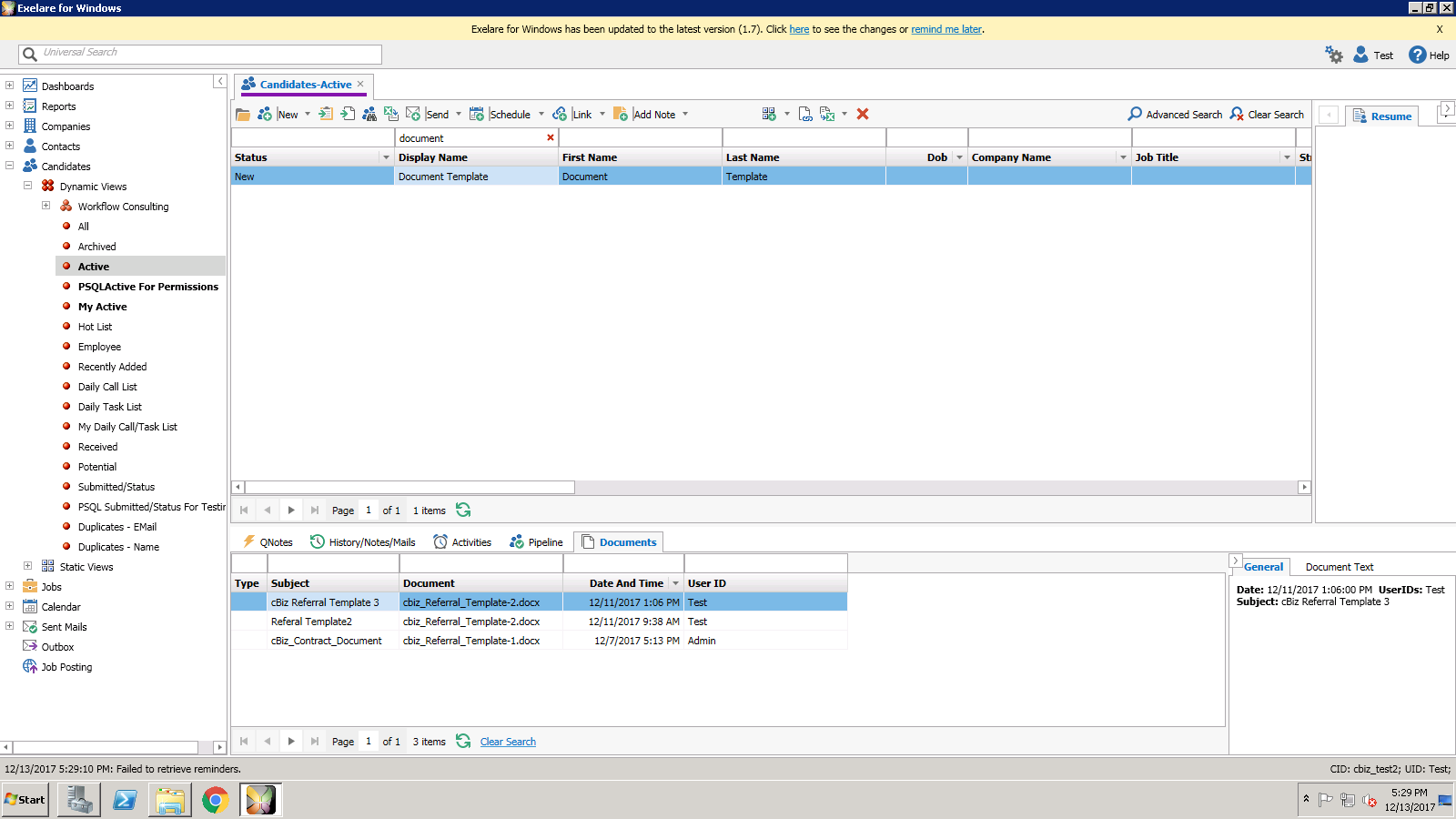
NOTE: When creating the document template. You can use the
following default Anchors.
1)
{{Sign}}
-> This is where customer can do the e-Signature
2)
{{Init}} -> This is for customer Initials
3)
{{DS}}
-> This is used for Date
Signed
4)
{{Name}}
-> This will include the
customer full name
5)
{{Email}}
-> This is for Email Address
6)
{{cb}} -> This is used if you want to have some Check
Box fields
7)
{{cb1}}
-> This is used if you want to
have second check box field
If you are a premium customer, we can also customize the Anchors and create any additional anchors for you.
To have candidates e-sign the document(s) pls follow the below steps:
1)
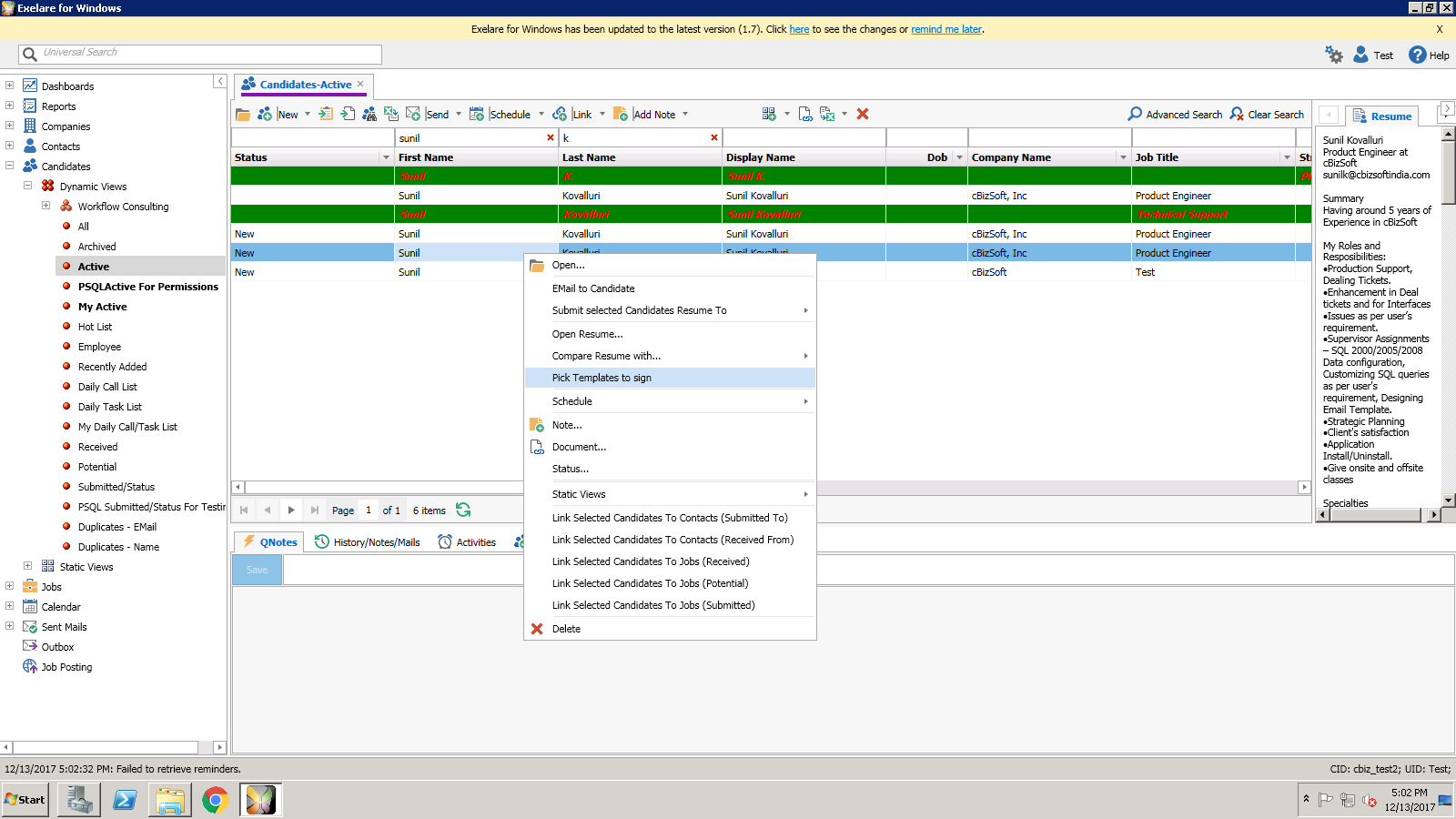
Right click on Candidate(s) -> Pick Template
to sign.
2)
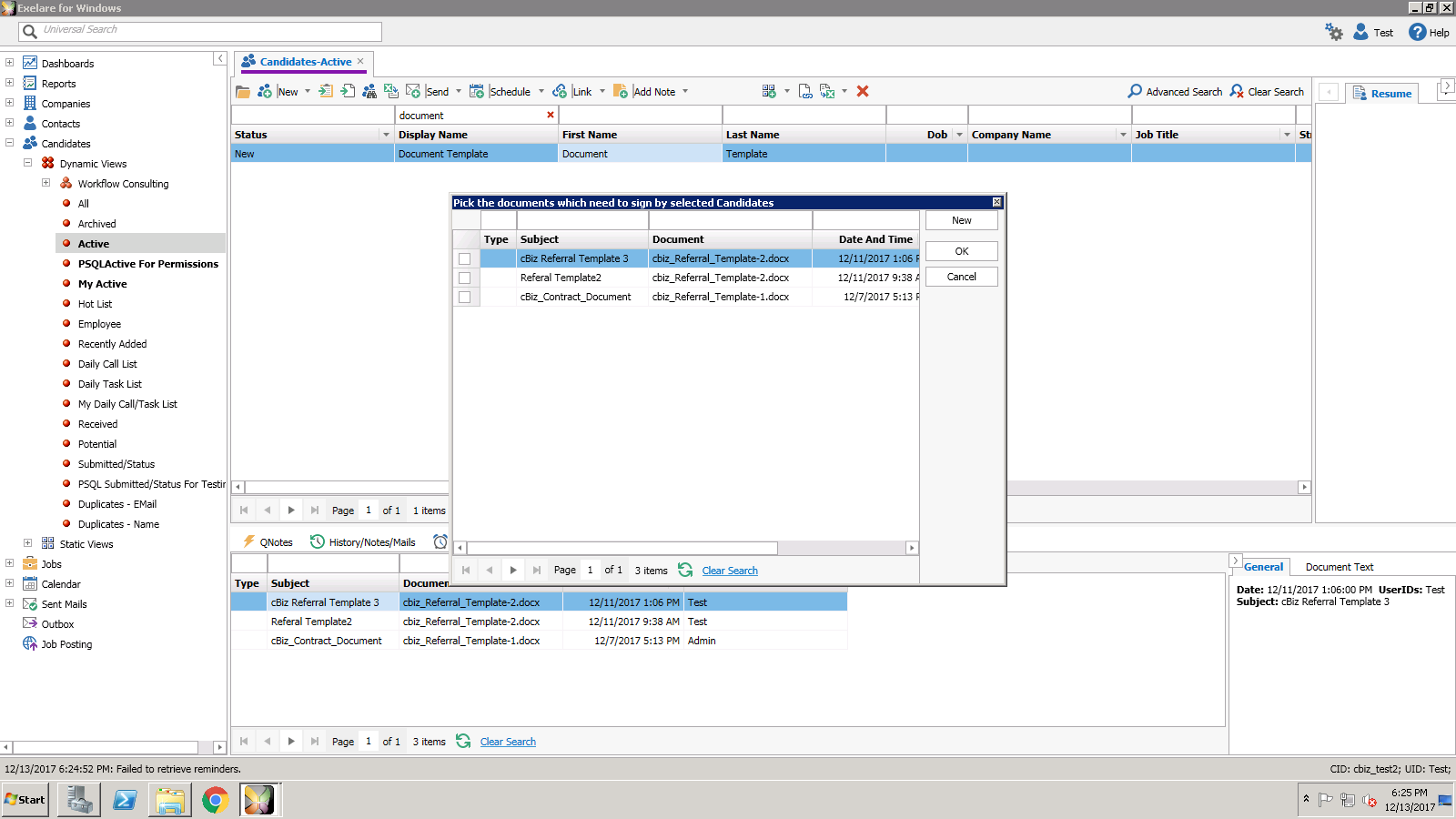
Pick the desired template document(s) that you need candidate to e-sign and click OK.
3)
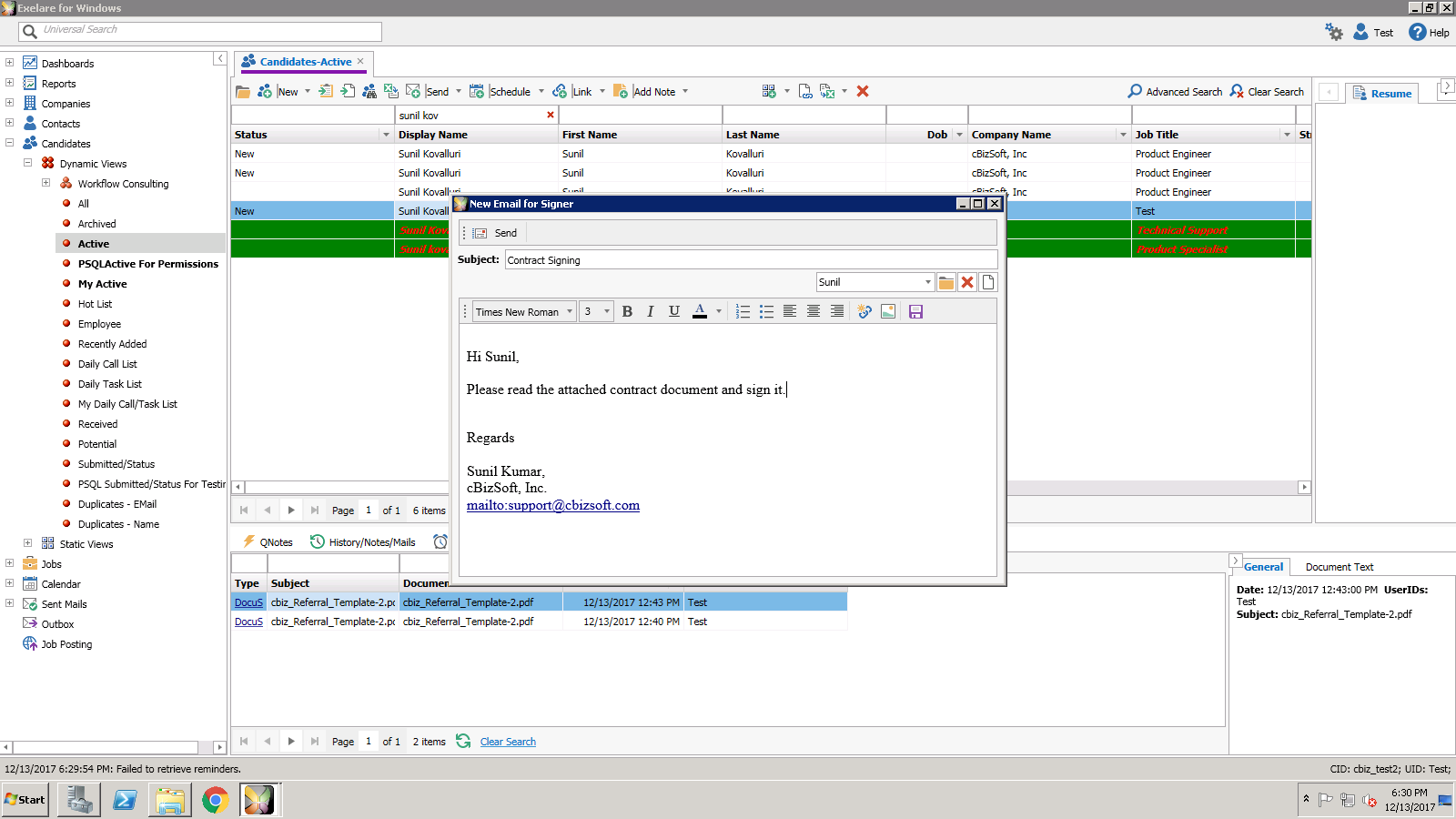
Type your “Subject” and Body of the email and
click on Send.
4)
In the popup message, click on OK.
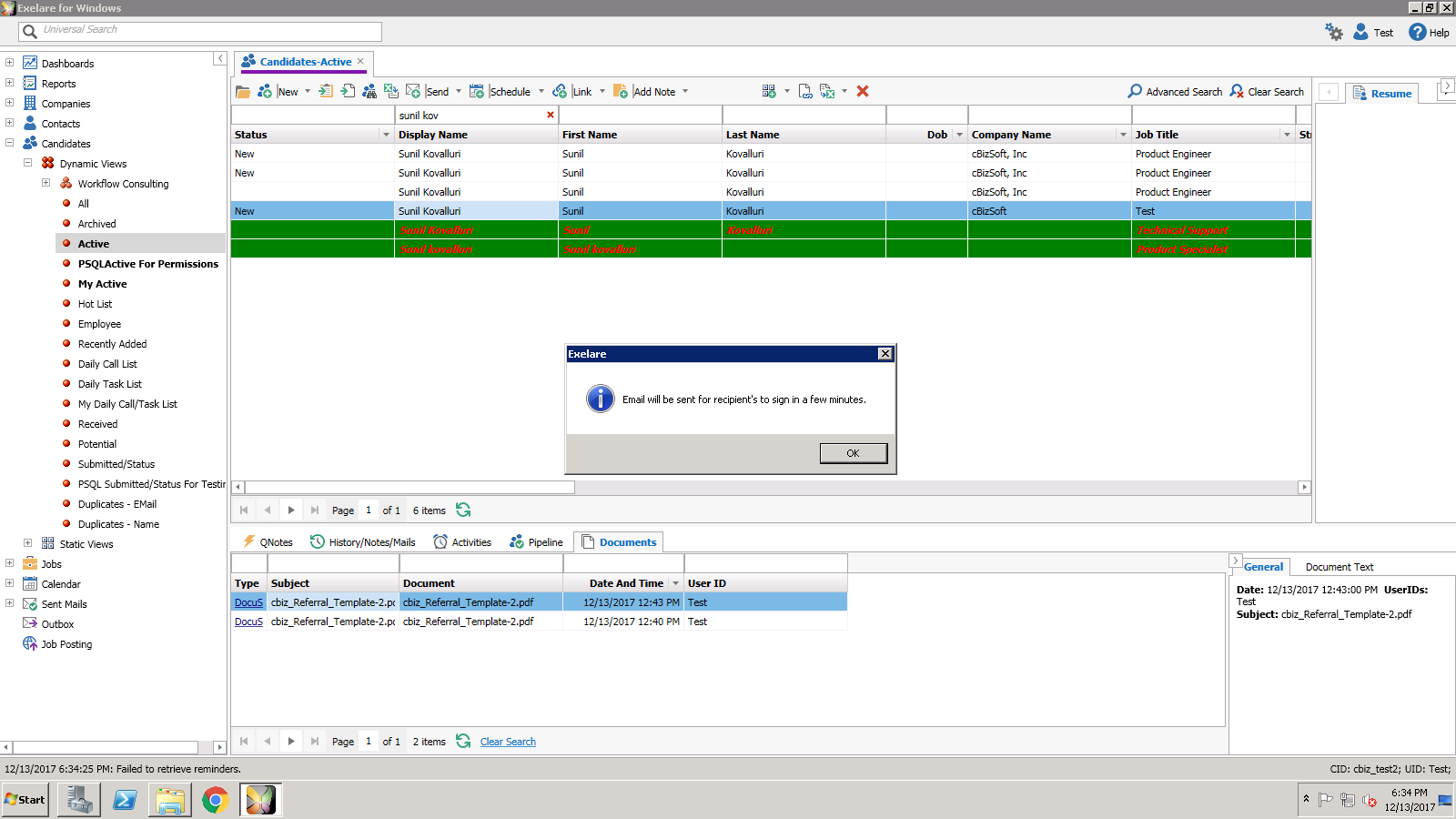
5) Once candidate completes the e-Signing and finishes the document. The signed document will get attached as “DocuSign” under “Documents” (xtab) to that candidate.
Sample Template Document for e-Sign:
[COMPANY]This Consulting Agreement (the “Agreement” or “Consulting
Agreement”) states the terms and conditions that govern the contractual
agreement between [COMPANY] having
its principal place of business at [[Address1]],
and [[CompanyName]] who agrees to be
bound by this Agreement.
WHEREAS, the Consultant offers consulting services in the
field of [CONSULTING FIELD]; and
WHEREAS, the Client desires to retain the services of the
Consultant to render consulting services with regard to [SCOPE OF CONSULTING
SERVICES] according to the terms and conditions herein.
NOW, THEREFORE, In consideration of the mutual covenants
and promises made by the parties hereto, the Consultant and the Client
(individually, each a “Party” and collectively, the “Parties”) covenant and
agree as follows:
TermThis Agreement shall begin on [BEGIN DATE] and continue
for [TIME PERIOD].
1. Either
Party may terminate this Agreement for any reason with [DAYS WRITTEN NOTICE] day’s
written notice to the other Party.
2. Consulting
Services.
The Consultant agrees that it shall provide its expertise
to the Client for all things pertaining to [SCOPE OF CONSULTING SERVICES] (the “Consulting Services”).
3. Compensation
In consideration for the Consulting Services, the Client
shall pay the Consultant at the rate of $[[Rate]] per hour. The Consultant
shall invoice the Client once every [INVOICE TIME FRAME] and such invoices
shall be due and payable within [INVOICES PAYABLE WITHIN TIME FRAME] days of
the Client’s receipt of the invoice.
4. Intellectual
Property Rights in Work
Product
The Parties acknowledge and agree that the Client will
hold all intellectual property rights in any work product resulting from the
Consulting Services including, but not limited to, copyright and trademark
rights. The Consultant agrees not to claim any such ownership in such work
product’s intellectual property at any time prior to or after the completion
and delivery of such work product to the Client.
5. Confidentiality
The Consultant shall not disclose to any third party any
details regarding the Client’s business, including, without limitation any
information regarding any of the Client’s customer information, business plans,
or price points (the “Confidential Information”), (ii) make copies of any
Confidential Information or any content based on the concepts contained within
the Confidential Information for personal use or for distribution unless
requested to do so by the Client, or (iii) use Confidential Information other
than solely for the benefit of the Client.
6. Noncompetition
During the term of this Agreement and for [NUMBER MONTHS
FOR NONCOMPETITION] months thereafter, the Consultant shall not engage,
directly or indirectly, as an employee, officer, manager, partner, manager,
consultant, agent, owner or in any other capacity, in any competition with the
Client or any of its subsidiaries, including any company engaged in [TYPE OF
BUSINESS].
7. Nonsolicitation
of Customers
During the term of this Agreement and for [NUMBER MONTHS
FOR CUSTOMERS] months thereafter, the Consultant will not, directly or
indirectly, solicit or attempt to solicit any business from any of the
Company’s clients, prospects, employees or contractors.
8. Nonsolicitation
of Employees
During the term of this Agreement and for [NUMBER MONTHS
FOR EMPLOYEES] months thereafter, the Consultant will not, directly or indirectly, recruit,
solicit, or induce, or attempt to recruit, solicit, or induce, any of the
Company’s employees, or contractors for work at another company.
9. Indemnification
The Client agrees to indemnify, defend, and protect the
Consultant from and against all lawsuits and costs of every kind pertaining to
the Client’s business including reasonable legal fees due to any act or failure
to act by the Client based upon the Consulting Services.
10. No
Modification Unless in Writing
No modification of this Agreement shall be valid unless
in writing and agreed upon by both Parties.
11. Applicable
Law
This Consulting Agreement and the interpretation of its
terms shall be governed by and construed in accordance with the laws of the
State of[[STATE]]and subject to the exclusive jurisdiction of the federal and
state courts located in[[CITY]],[[STATE]].
IN WITNESS WHEREOF, each of the Parties has executed this
Consulting Agreement, both Parties by its duly authorized officer, as of the
day and year set forth below.
[COMPANY]
Sign: {{Sign}} Date
Signed on: {{DS}}
Initial:
{{Init}}
[CLIENT]
Sign: {{SignHere}} Date
Signed on: {{DS1}}