Exelare ‘Share’ – Facebook, Twitter & LinkedIn Integrations
Skip to main content
3. Click on the ‘Share Jobs’ tab:
4. Click on ‘Social Networks’, and find the Facebook, Twitter & LinkedIn tabs choosing the relevant Social Networking website from the “Social Networks:” drop-down.
5. Click the ‘Sign In’ link. It will ask if you want to be redirected to the Facebook, Twitter OR LinkedIn authorization page. Please Click ‘OK’.
7. Enter your Facebook(OR Twitter OR LInkedIn) credentials and review the app permissions. Once you approve our the Exelare Share App, you should see the following message:
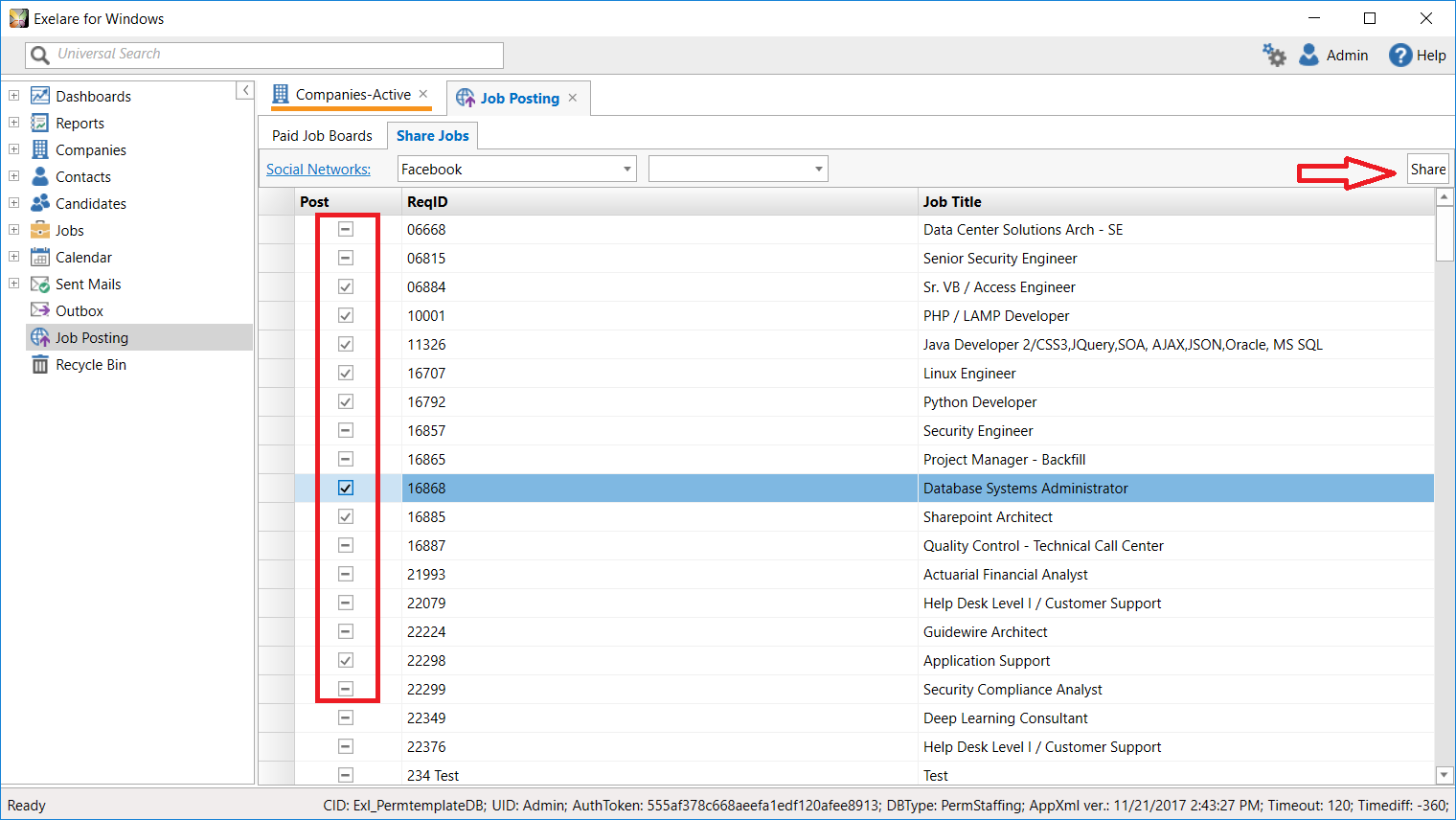
8. That’s it! Your Exelare account now has access to your Facebook, Twitter or LinkedIn profile and company pages! You can post your jobs by simply selecting the jobs from the list and clicking the “Share” button as shown below:
9. Your Job(s) will be shared to your Facebook wall or Company Page as desired:
How Can We Help?
Exelare Share is part of the Exelare ecosystem which helps ================================================ you to post jobs to social networks like Facebook. It provides a seamless integration with your Facebook profile and the Facebook Company Pages that you manage. You can post multiple job vacancies from the Exelare software to your Facebook wall or your company’s official news feed in no time.
Please follow the steps below to integrate your Exelare & Facebook, Twitter & LinkedIn Accounts:
1. Login to your Exelare Account (Exelare for Windows)
2. Go to the ‘Posting’ area:
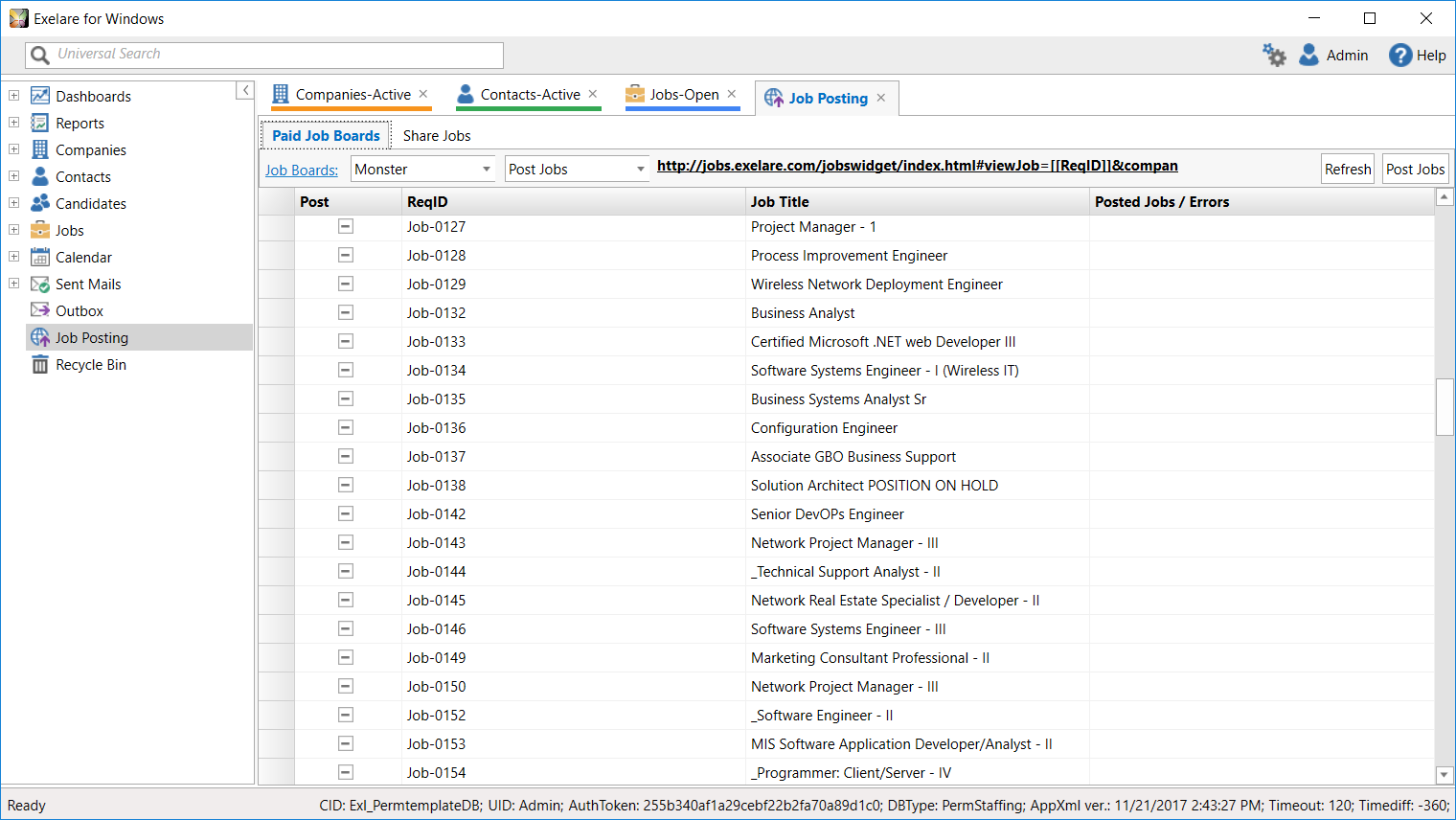
3. Click on the ‘Share Jobs’ tab: 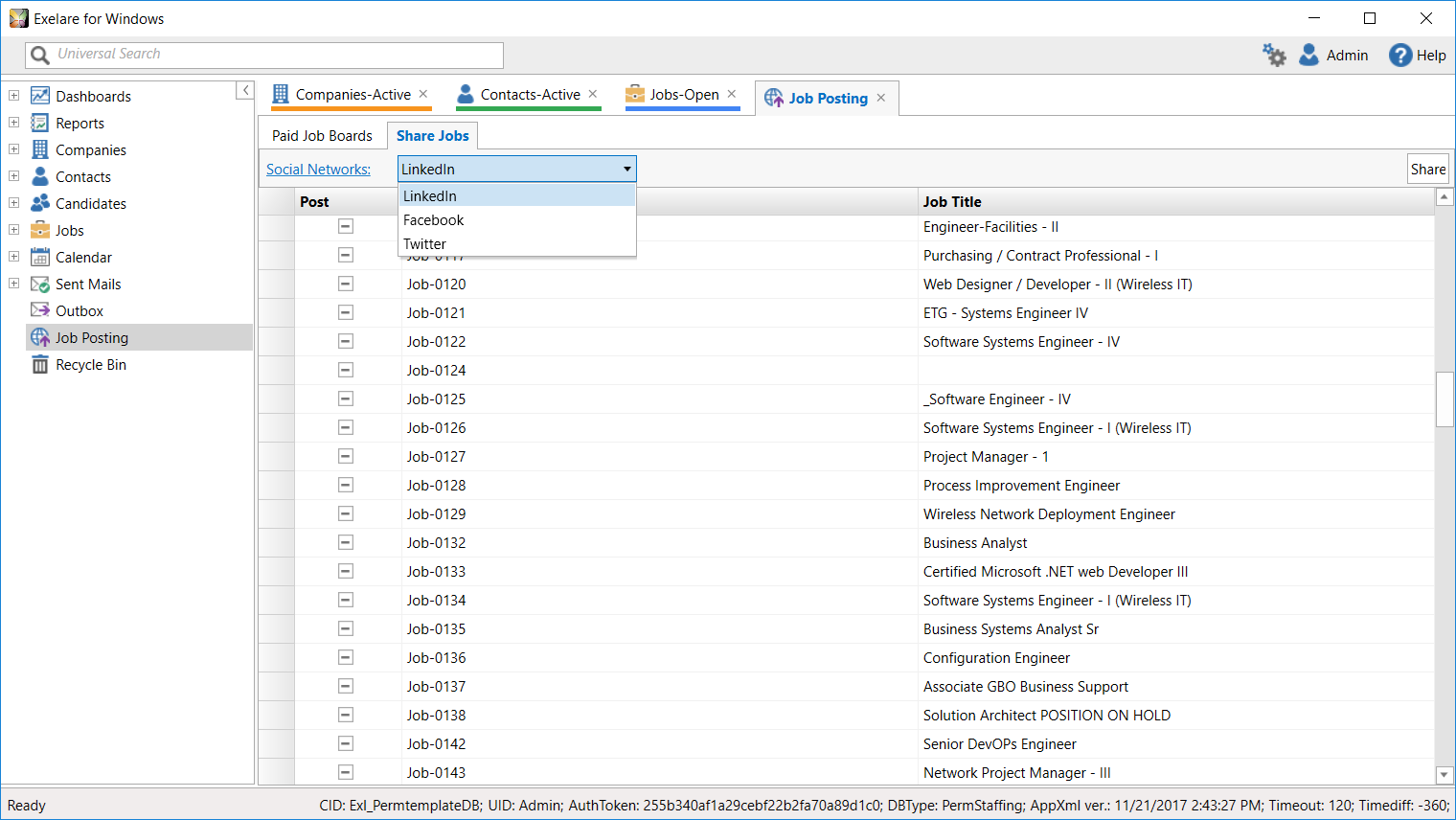
4. Click on ‘Social Networks’, and find the Facebook, Twitter & LinkedIn tabs choosing the relevant Social Networking website from the “Social Networks:” drop-down. 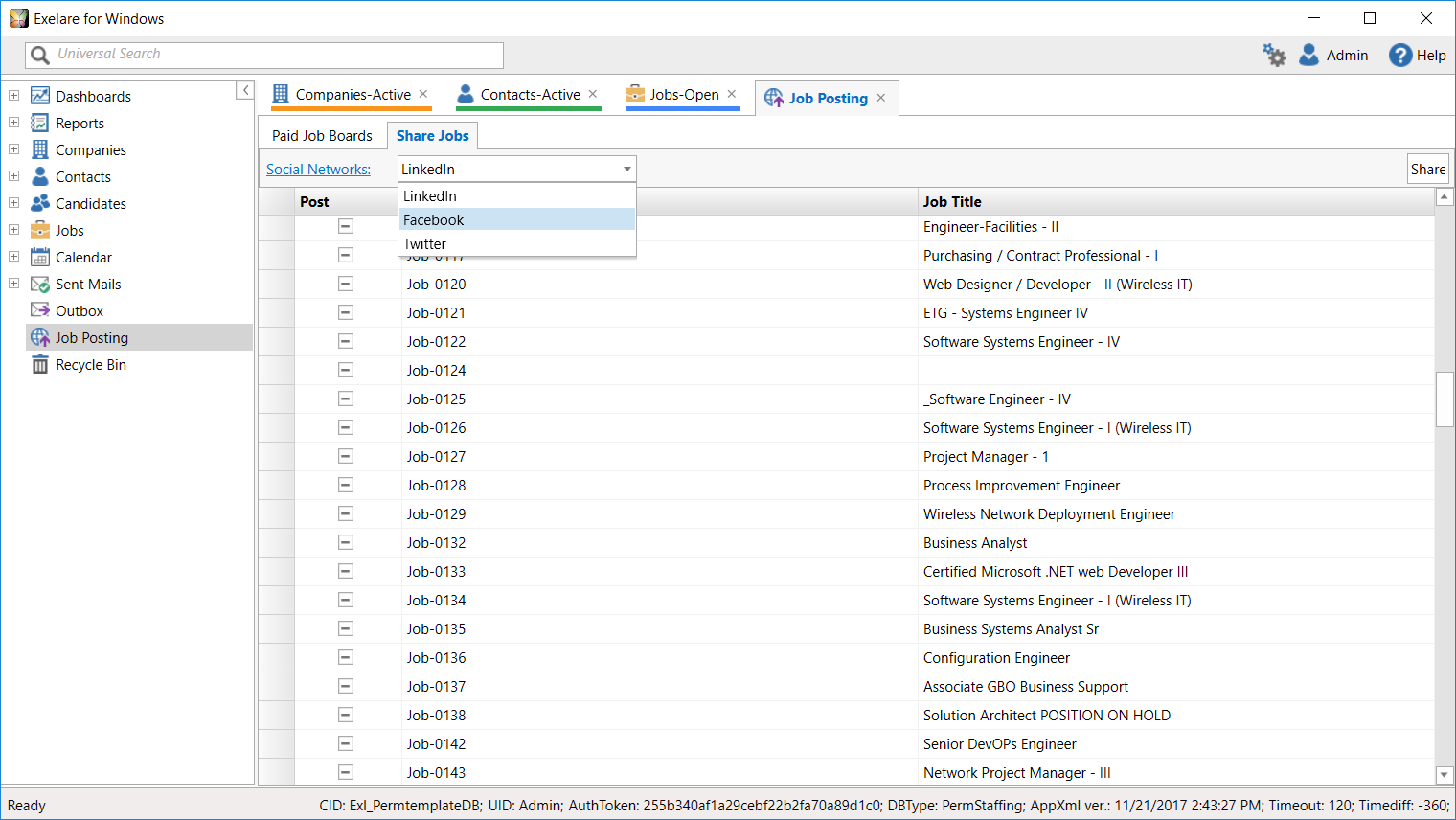
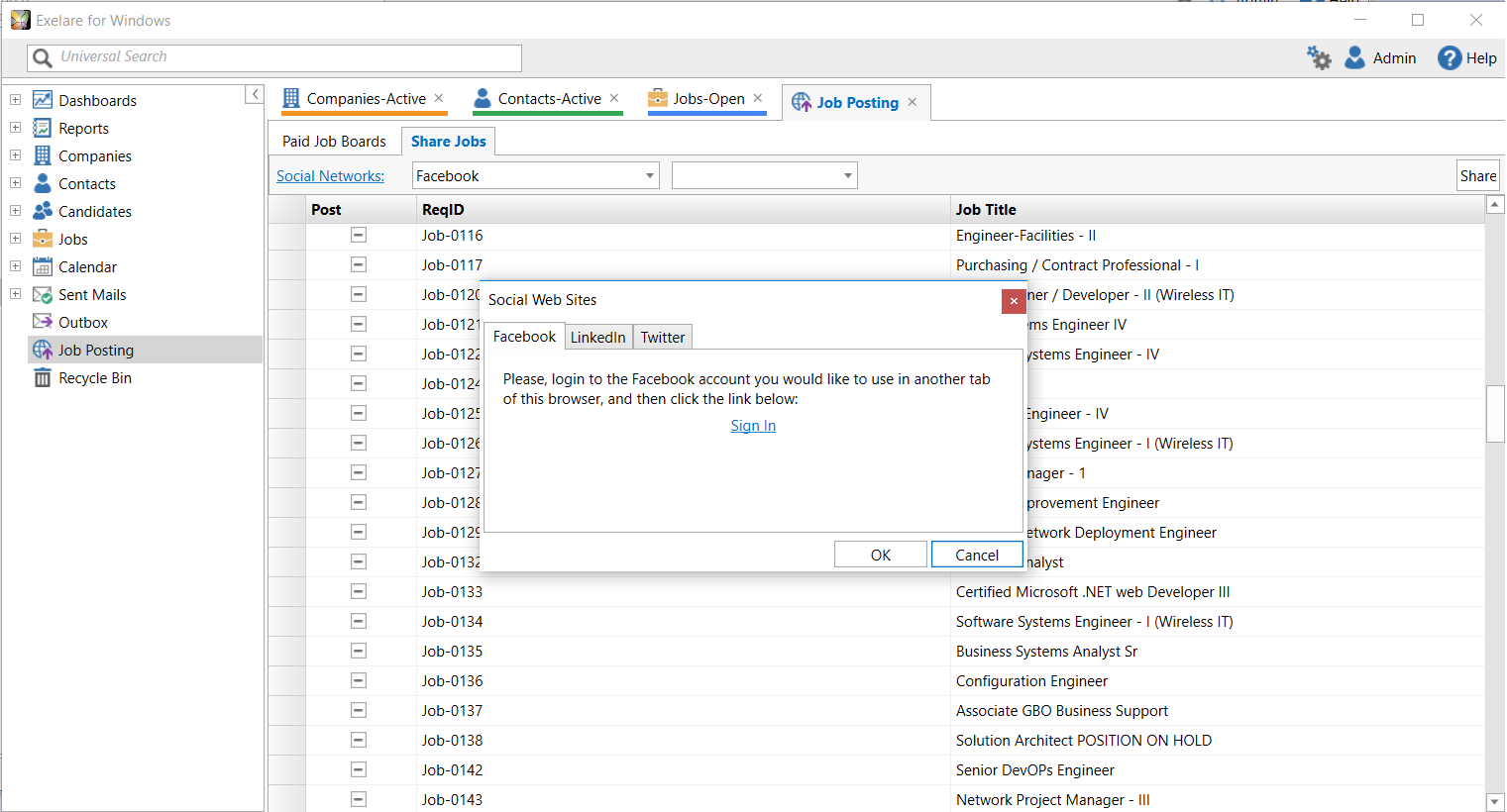
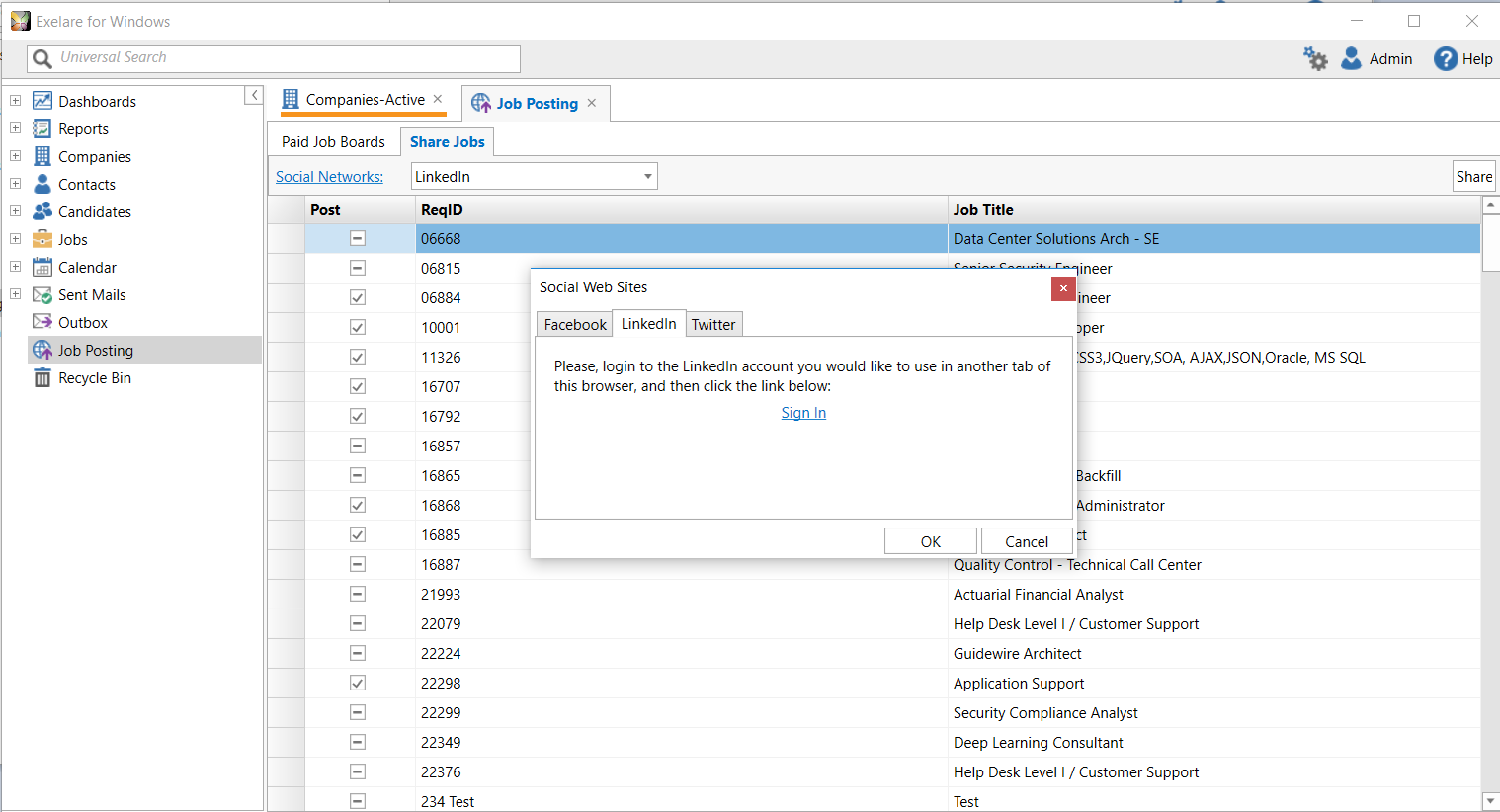
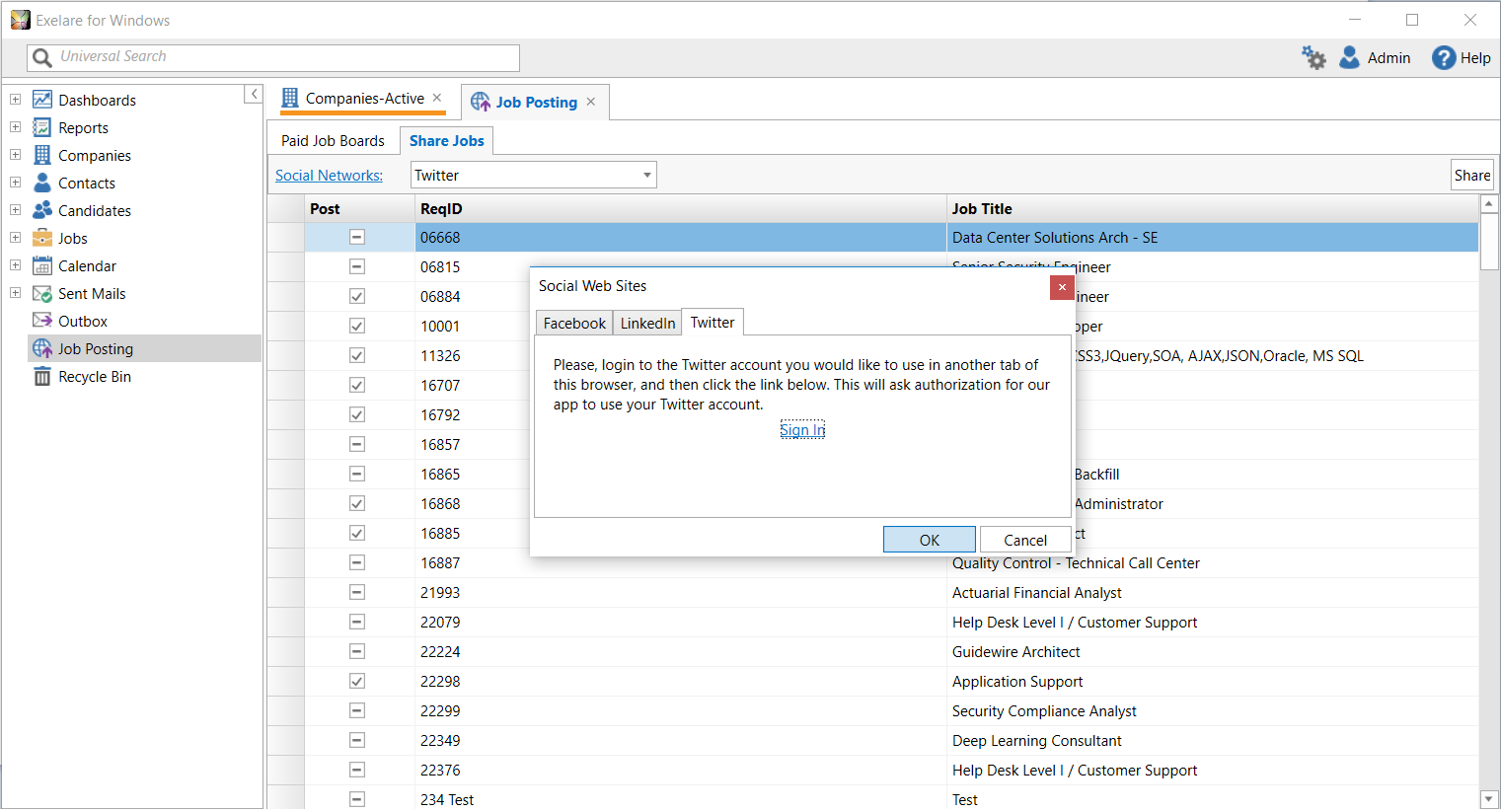
5. Click the ‘Sign In’ link. It will ask if you want to be redirected to the Facebook, Twitter OR LinkedIn authorization page. Please Click ‘OK’. 
- Click ‘Add to Facebook’: