Send & Receive SMS/Text messages in Exelare – using RingCentral
Making and
receiving business calls from cell phones is a VoIP standard practice. But what
about business texting? Exelare has gotten a head start on exploring this new
realm with RingCentral Business SMS, which allows its users to send and receive
texts and calls using one RingCentral number directly from Exelare.
- You have one business number that supports
voice and text messages. - Send and receive 1,000-character messages to
and from RingCentral extensions or 10-digit mobile numbers. - Message colleagues, clients or candidates
with your business identity — from your Exelare. - Users can reply back to the SMS/Text via Exelare
(chat window) directly. - Collaborate more effectively by
communicating in a single text thread. - Instant Incoming SMS popup in Exelare
Send & Receive SMS/Text from Exelare – using RingCentral
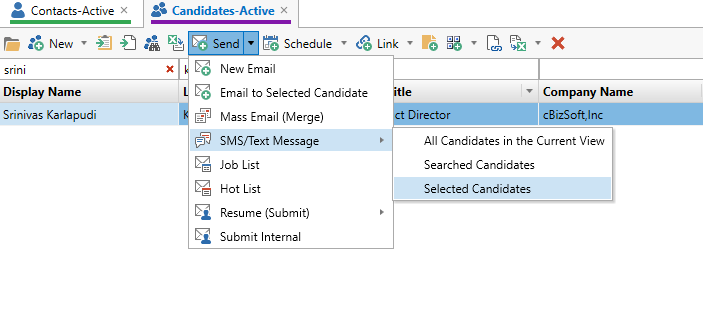
- Select a Candidate or Client in
Exelare. - On the top menu items, click the
drop-down next to “Send” and choose “SMS/Text Message” => Selected Candidate.
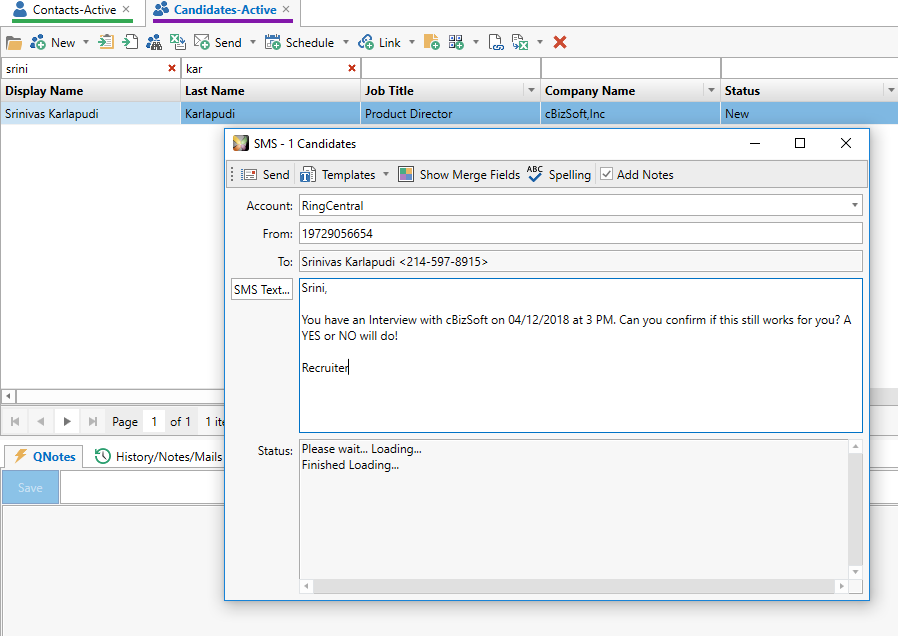
3. Type your Text Message or click on
“SMS Text” button to choose your text file and click on Send.
4. When a candidate replies to your SMS. You would see an instant popup message of the SMS/Text in the bottom right corner of Exelare.

5. Clicking on the popup will open
Exelare RingCentral SMS/Text window. Here you can see the conversations sent and received in the past.
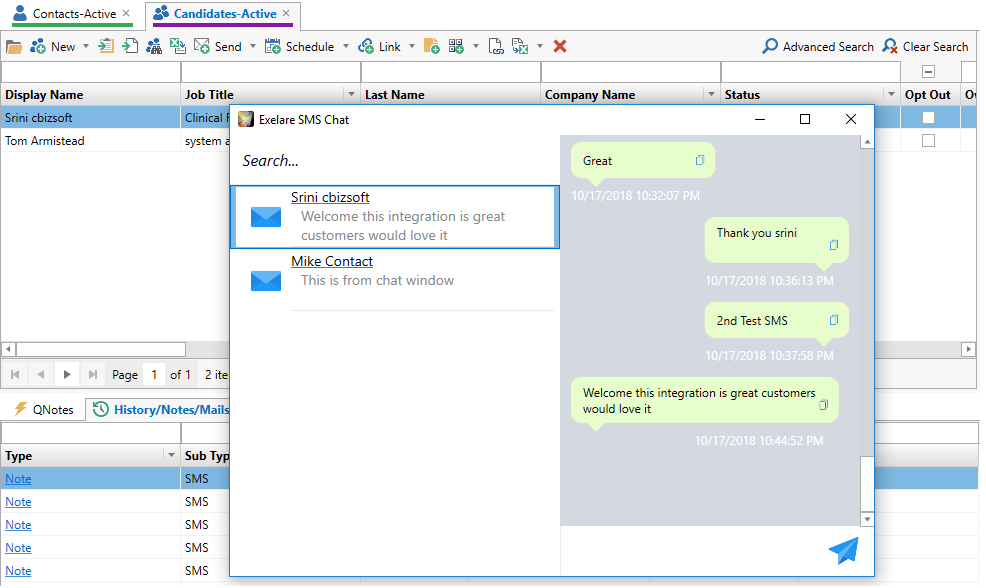
6. Received / Sent SMS gets added as a NOTE to the contact / candidate automatically.
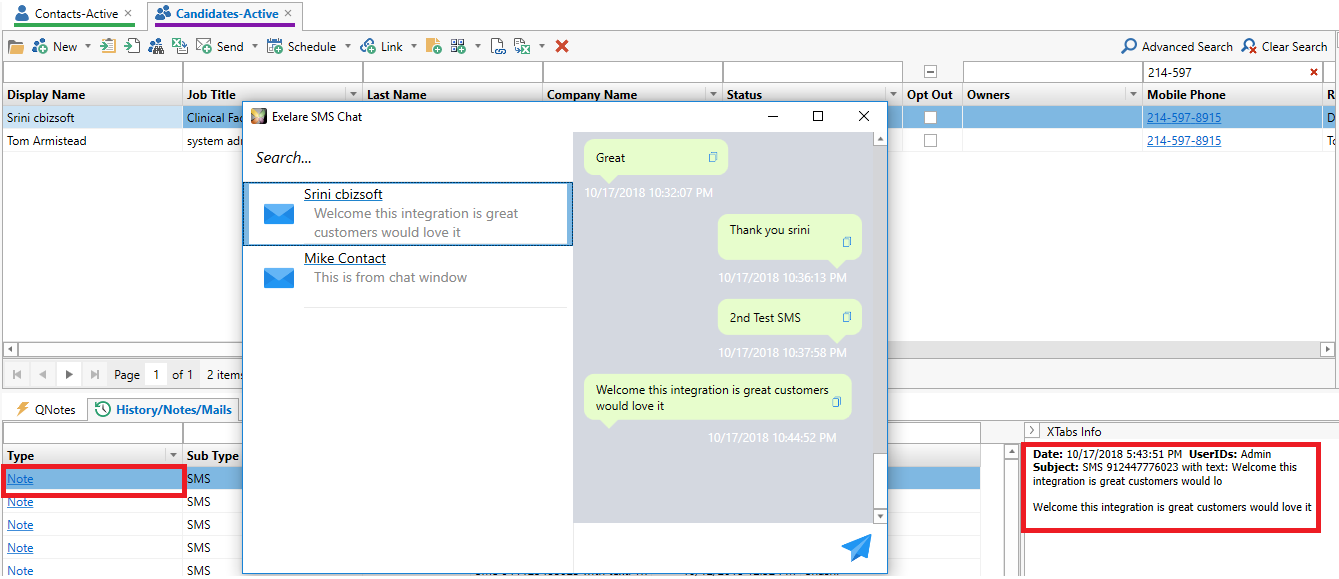
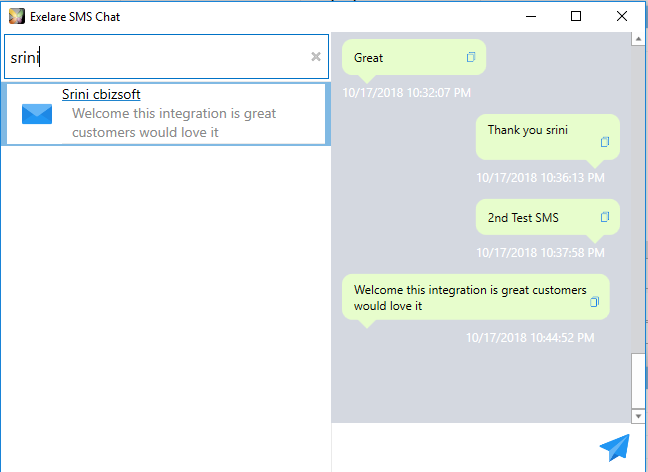
- Search your contact or candidate by Name or
Phone number inside Exelare RC Chat window. This shows all the previous text history with the selected record. Also, you can enter a new text and hit the blue send icon.
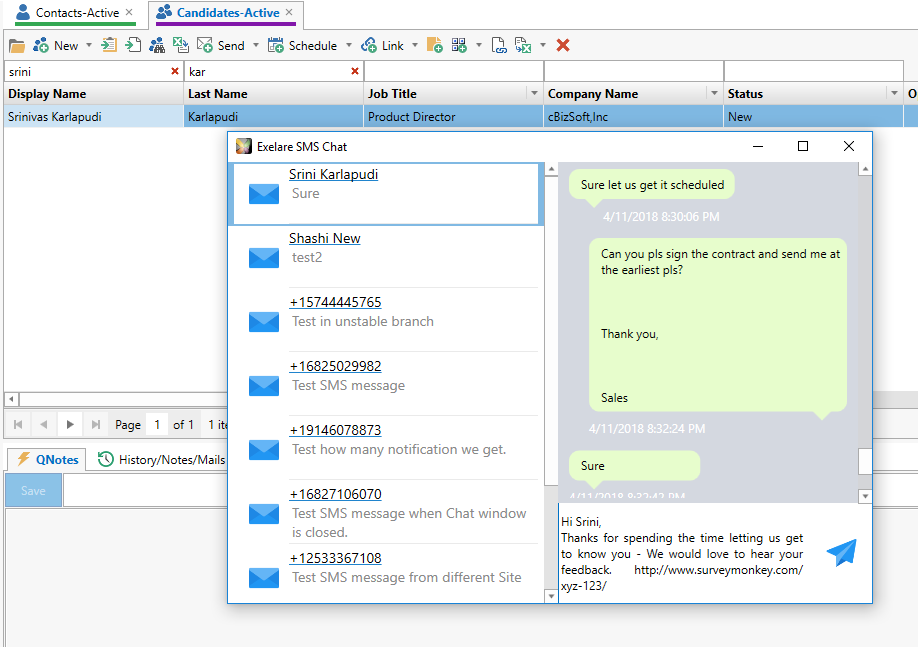
 8. You can reply back to the SMS from
Exelare RingCentral SMS/Text window itself.
9. RingCentral Incoming Call Pop Up:
Once you have RC integration. If someone calls you on your RC number. Then you will get a pop up with corresponding matched record inside Exelare. For further details please watch the below video.
To open the Exelare RingCentral SMS/Text Window (manually)
- In Exelare, click on
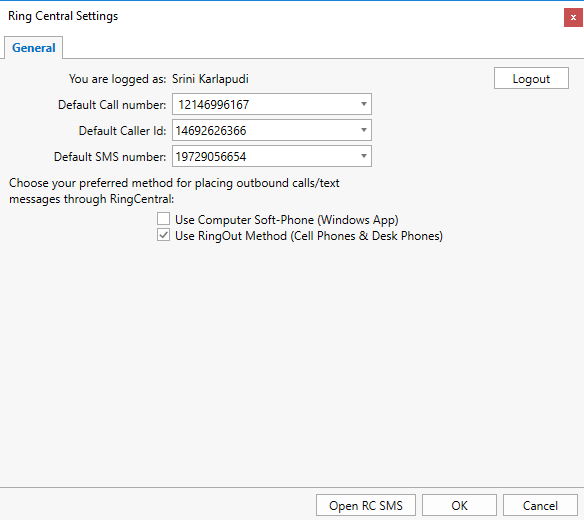
Settings->RingCentral Settings. - Click on “Open RC SMS” will open the SMS
conversations window.