

Link Jobs to Contacts
Skip to main content
How Can We Help?
Jobs that are not linked to the respective Contact/Client after a CSV import, can now be easily linked by a matching Contact or by any other field(s) in Exelare.
To Link Jobs to Contacts,
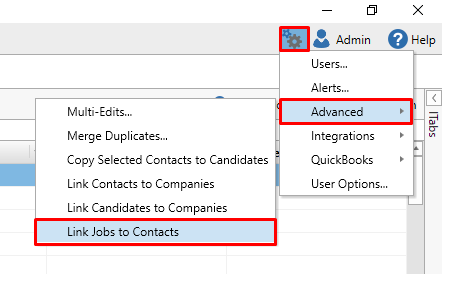
- In Exelare, click on Settings (gear icon
 , at the top right corner) -> Advanced -> Link Jobs to Contacts.
- Choose your Conditions like,
Jobs -> UserField10 = Contacts -> UserField10
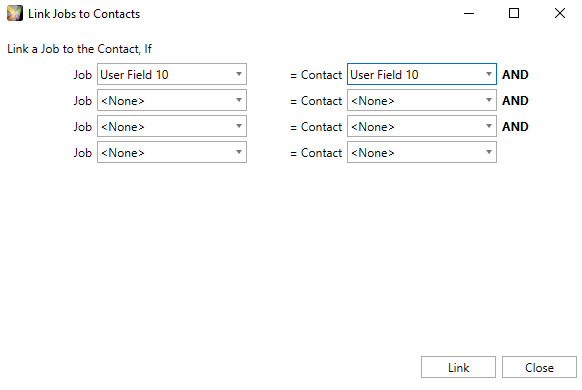
- Click on Link
- Once the process is completed, click on Close.