

Hiring Manager Portal Access
Building positive relationships with hiring managers can be challenging, especially when you are recruiting across many roles. Hiring Manager Portal helps create transparency, trust, and collaboration with your hiring manager from start to finish.
The portal empowers hiring managers to do the following without having to do often back and forth emails:
- Add new jobs
- View submitted resumes
- Update status on submitted candidates to those jobs. ( Like Interview, Reject, etc)
Before you give the hiring manager portal access details. Exelare admin user needs to do two things :
1) Add the Hiring Manager as a user in Exelare
2) Add the Hiring Manager
as a contact in Exelare
I) Add “Hiring Manager” as a USER in Exelare with his/her email address:
1) Click on the Settings button at the top right corner of Exelare and choose Users.
2) Click on New.
3) Add the Username, Password & Email address.
4) Click on OK.
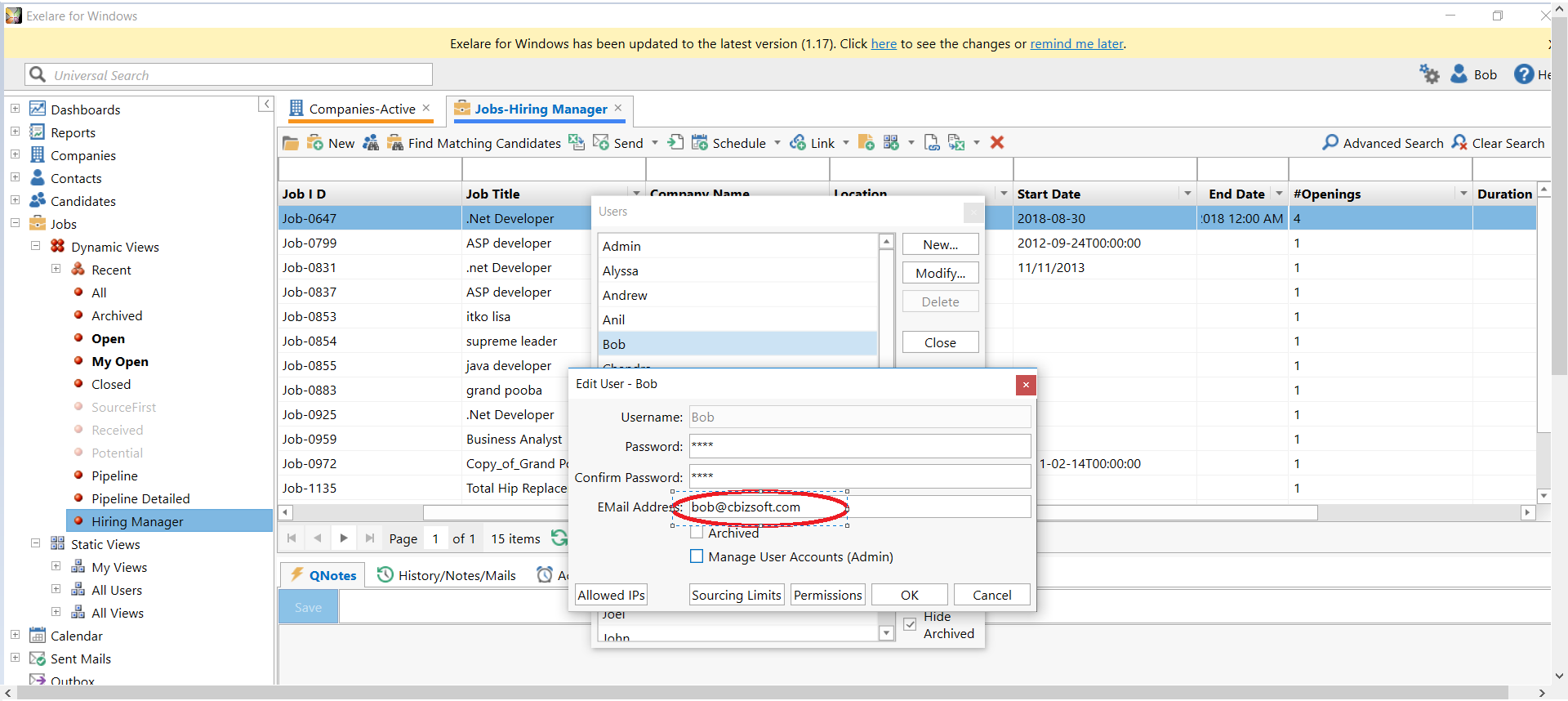
II) Add “Hiring Manager” as a CONTACT in Exelare (Ignore if contact is already added in Exelare).
1) In Exelare, goto Contacts > Active.
2) Click on New.
3) Add all the details of the Hiring Manager along with his/her EMail Address.
4) Click on Save and Close.
Note: The email address used while creating the USERand Contact in Exelare should be the same.
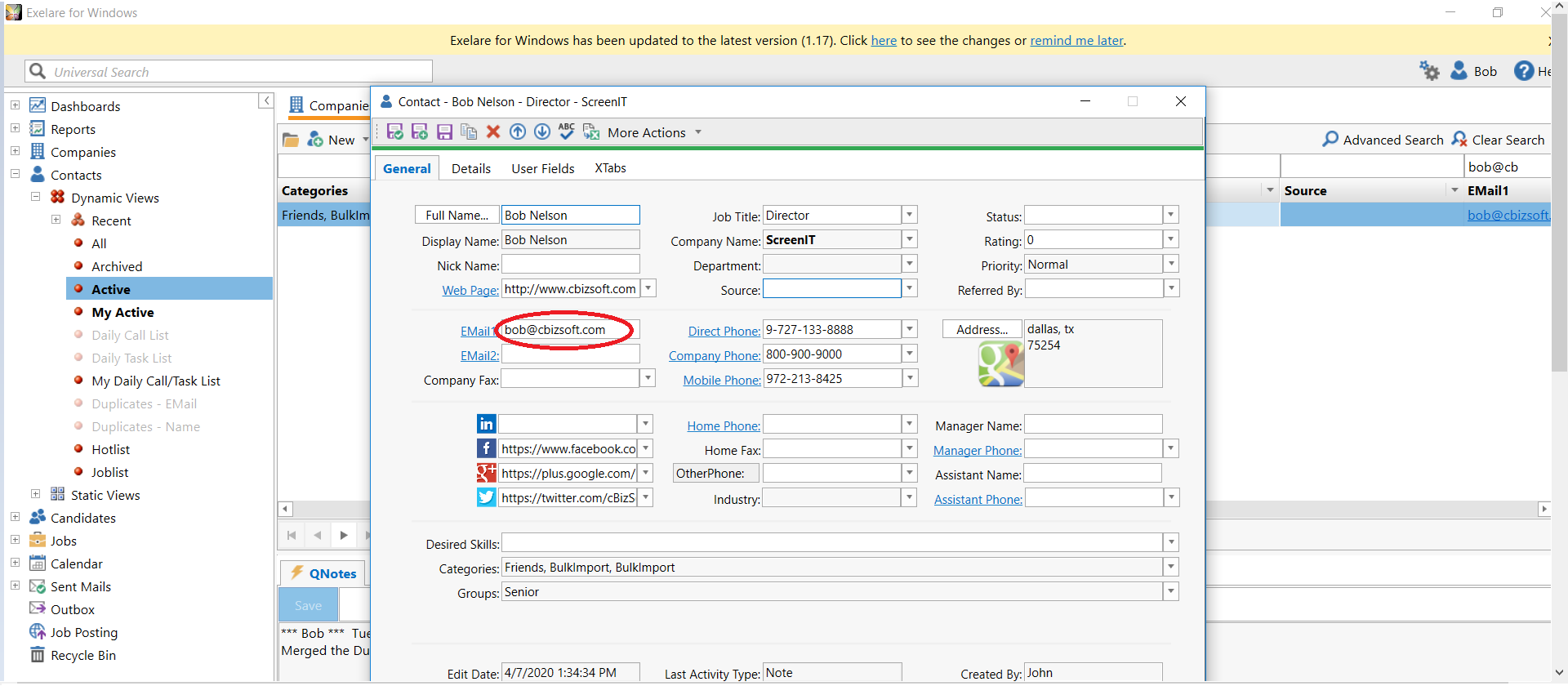
III) Once “Hiring Manager” has been added as a USER and Contact in Exelare, please send an email to support@cbizsoft.com and ask them to activate Hiring Manager Portal access.
IV) Once the license gets activated, please send the below URL with details to the “Hiring Manager”.
URL: http://jobs.exelare.com/JobsPortal/index.html
CompanyID: Your Exelare CompanyID
Username: UserID added for “Hiring Manager”
Password: Password added for “Hiring Manager”
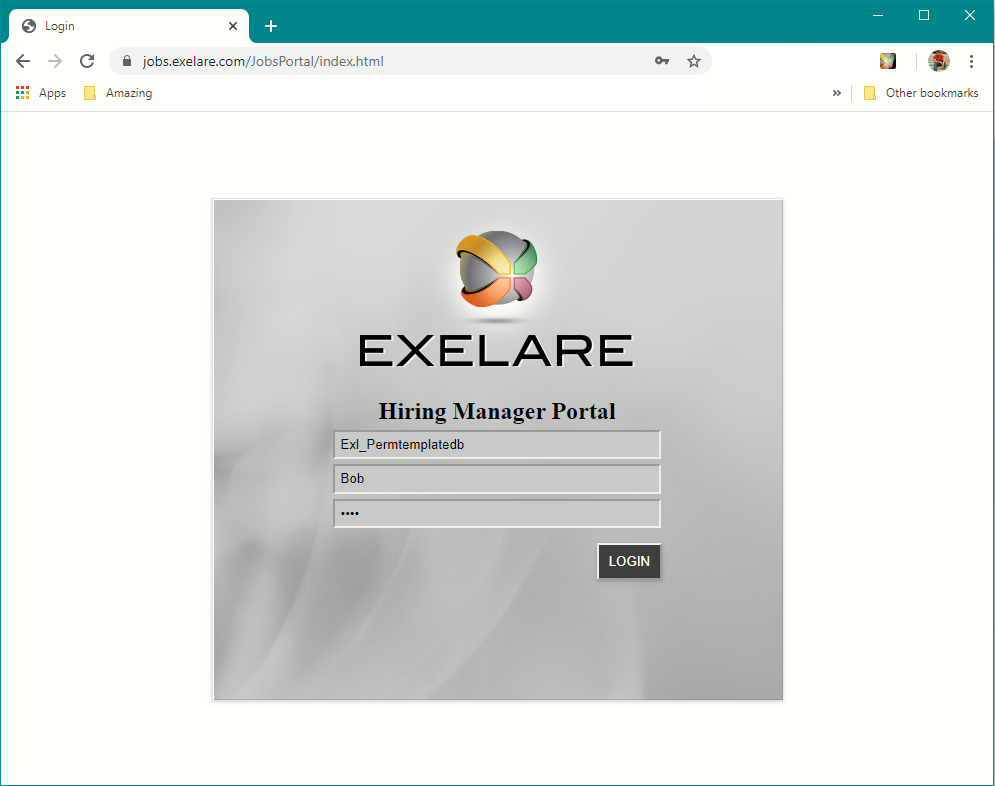
For more information on Hiring Manager Portal click the link below:
https://exelare.com/support/knowledgebase/windows/windows-general/hiring-manager-portal-guide/