Hiring Manager Portal Guide
Skip to main content
How Can We Help?
To login in to “Hiring Manager Portal”, click on the URL below and enter login credentials that you received from your vendor:
http://jobs.exelare.com/JobsPortal/index.html
Hiring manager portal allows the following:
- Add new jobs
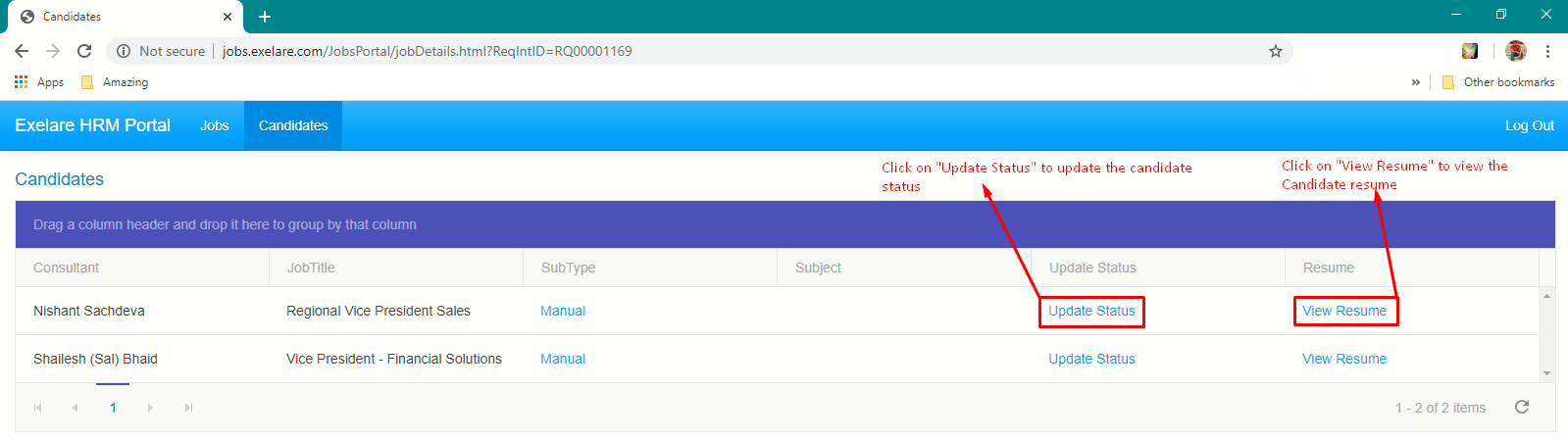
- View submitted resumes
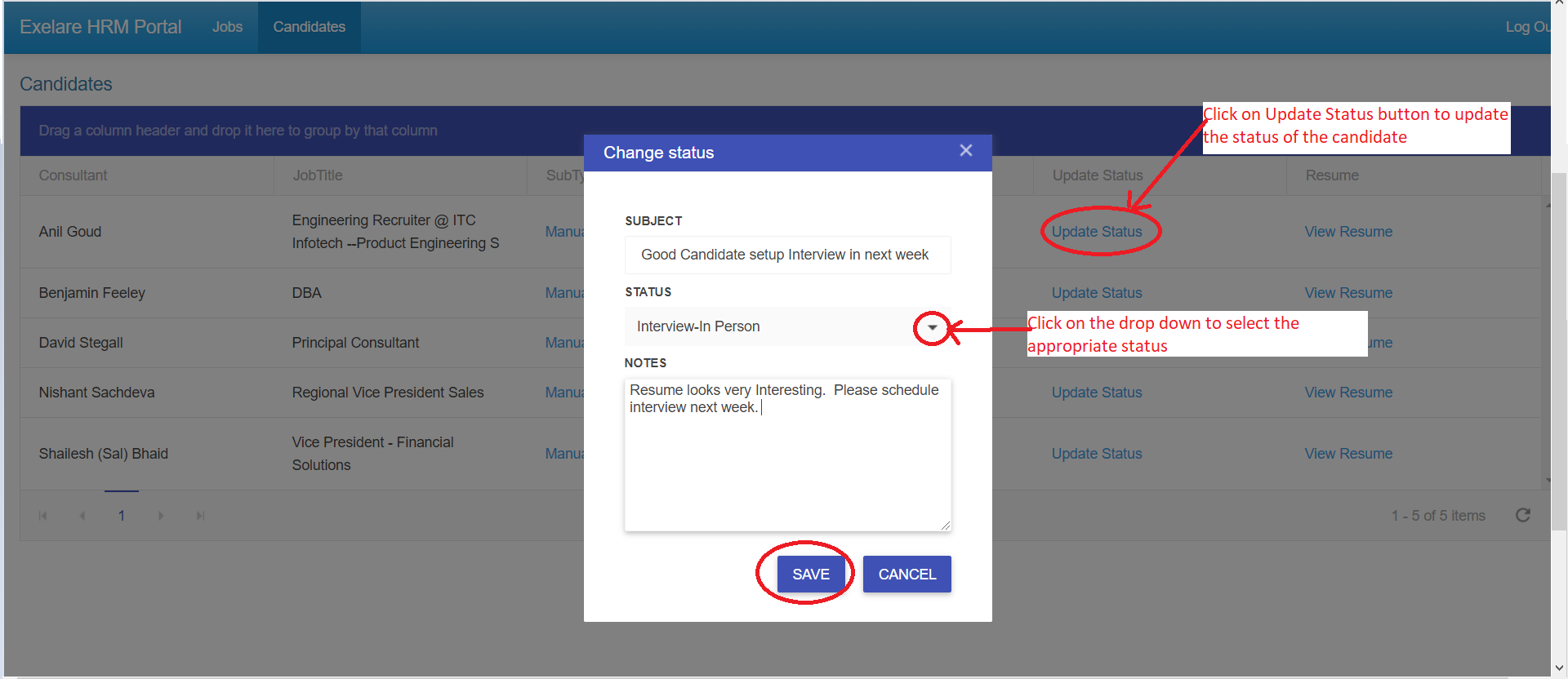
- Update status on submitted candidates to those jobs. ( Like Interview, Reject, etc)
Adding a new Job from Hiring Manager Portal.
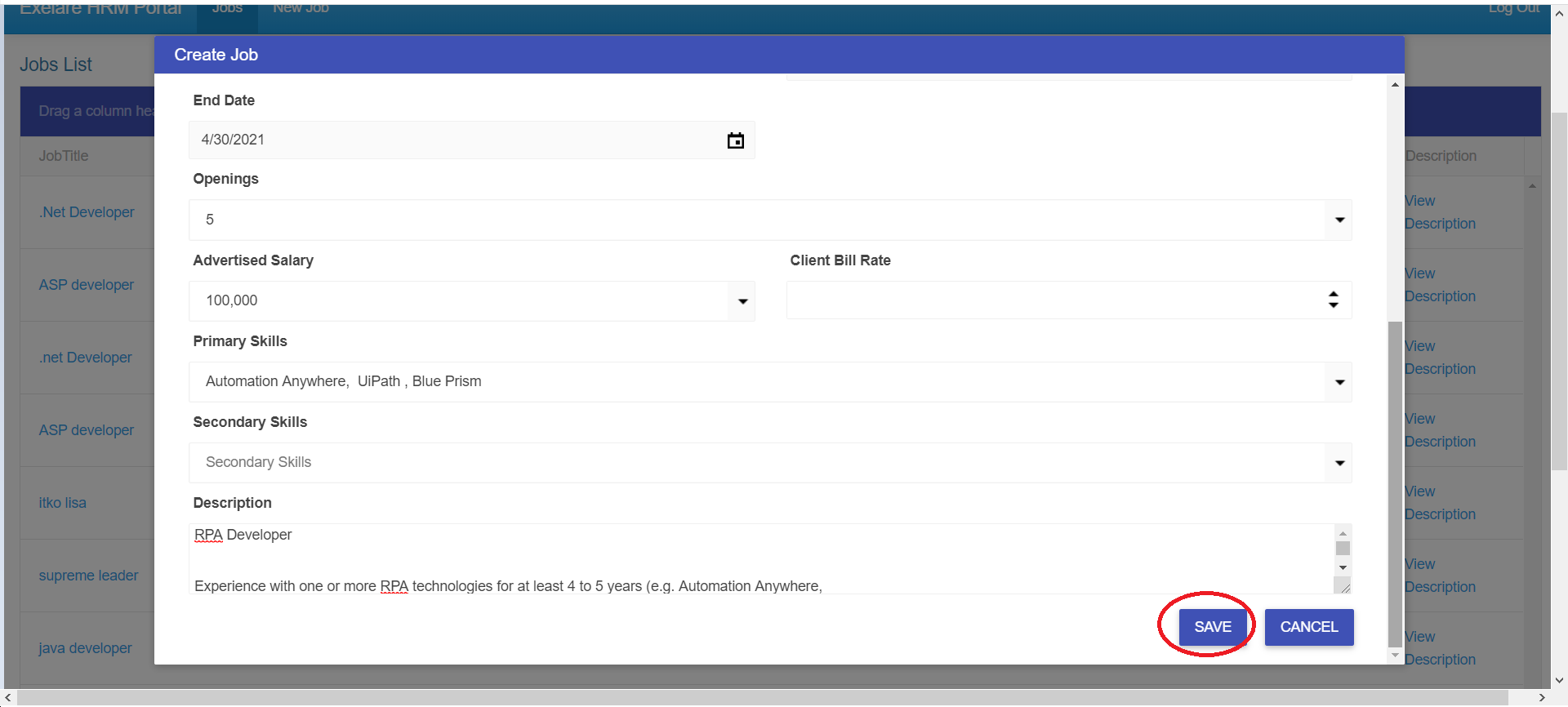
1) Click on “New Job“.
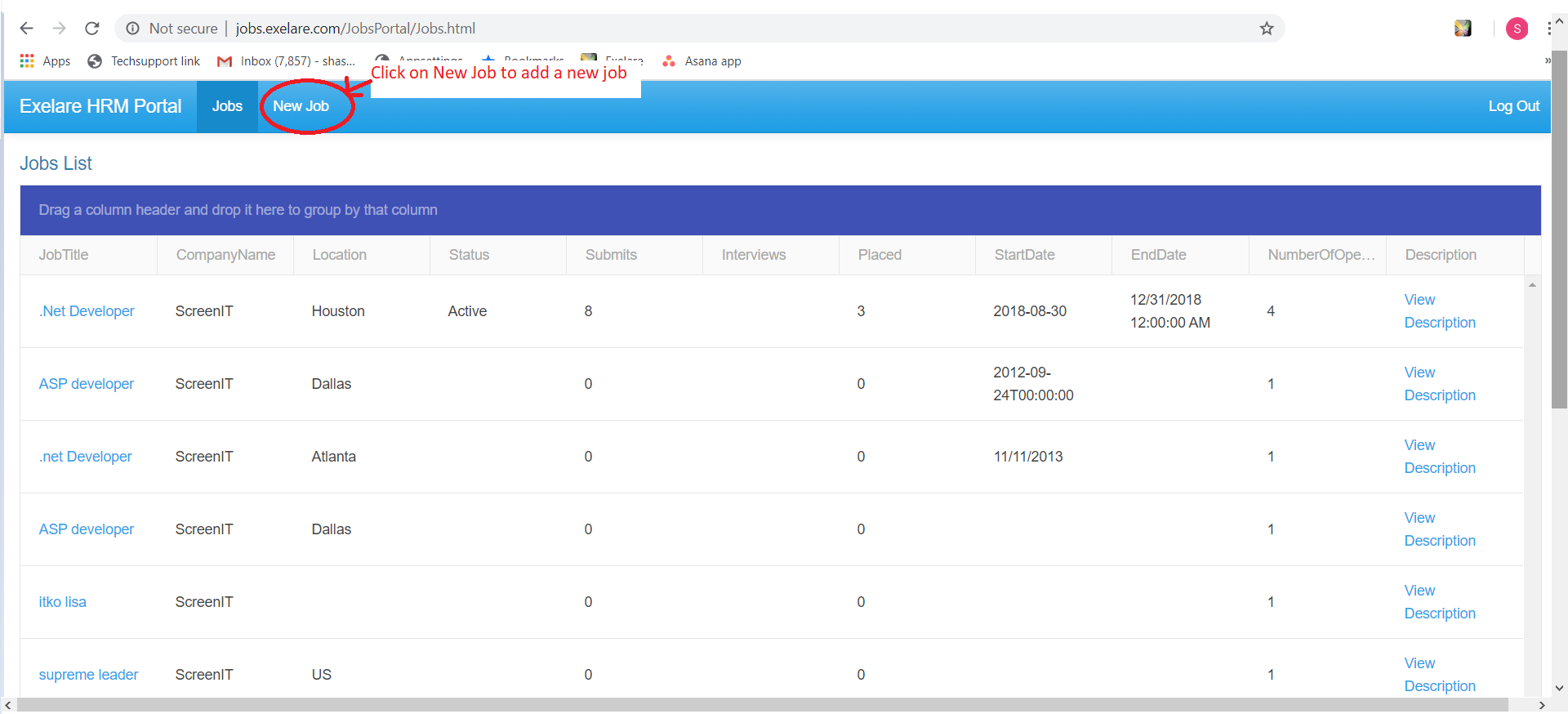
2) Enter all the Job Details and click on Save.
3) Hiring Manager can add a Note or view “Job Description” for an existing Job.
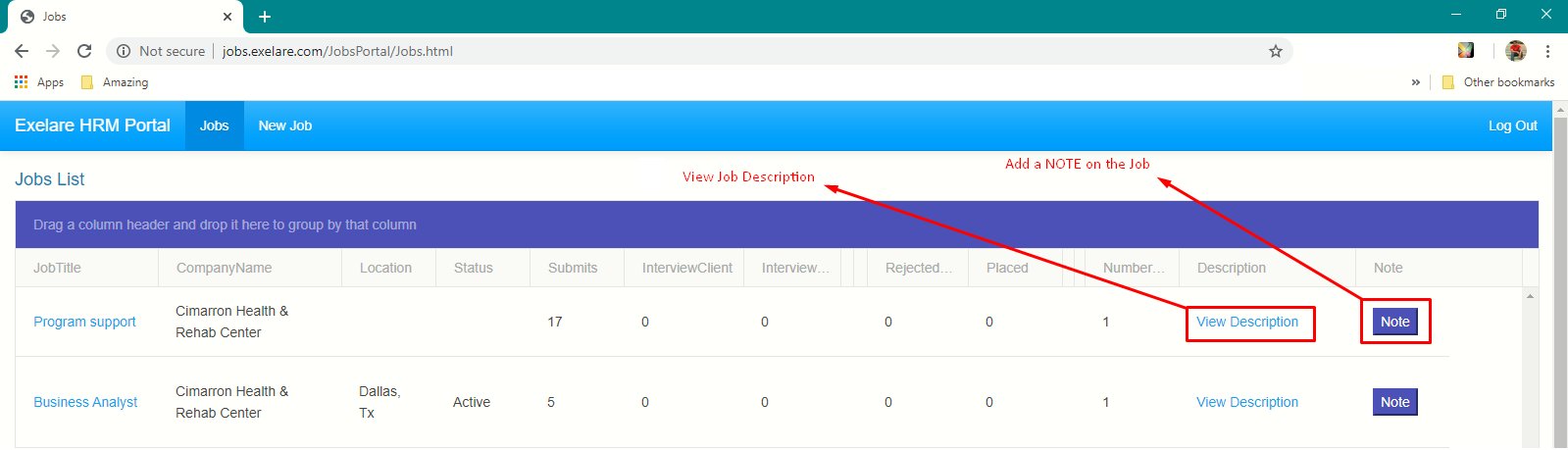
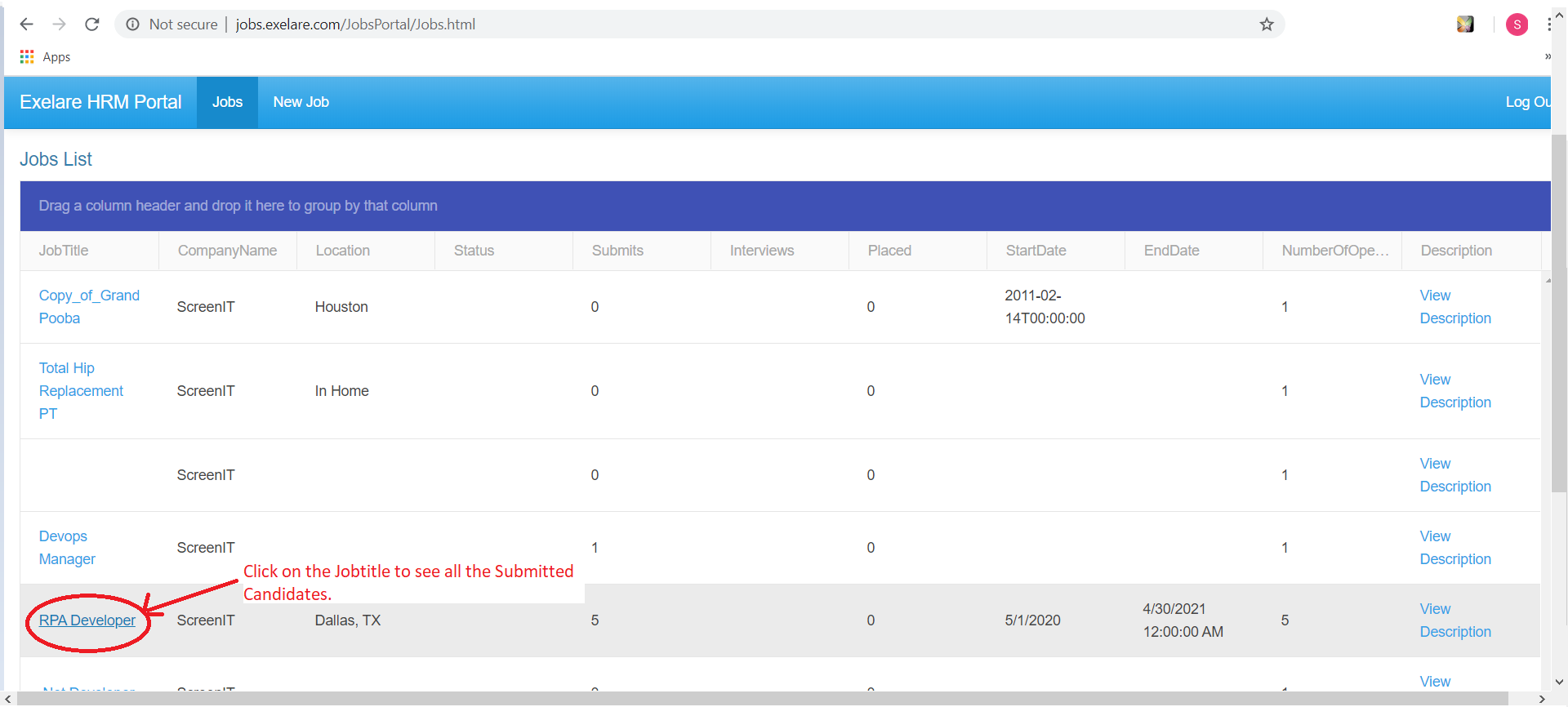
4) Clicking on the “JobTitle” on this page to view past submitted candidates and their resumes or update the candidate status.