

Placing RingCentral ‘RingOut’ Calls from Exelare
Skip to main content
How Can We Help?
Please Note: You will need to Setup Your RingCentral Account to work with Exelare before you can place outbound calls
Once your RingCentral account details have been setup on your Exelare account, you can start placing outbound calls. Wherever you see a phone number hyperlink, click on that phone number and the RingCentral For Windows app should pop open or start flashing.
1. Click on any phone number hyperlink you find in Exelare
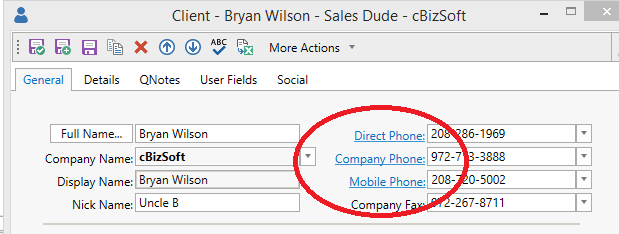
2. The RingCentral For Windows App will open or start flashing
3. Click on the ‘Answer’ Button
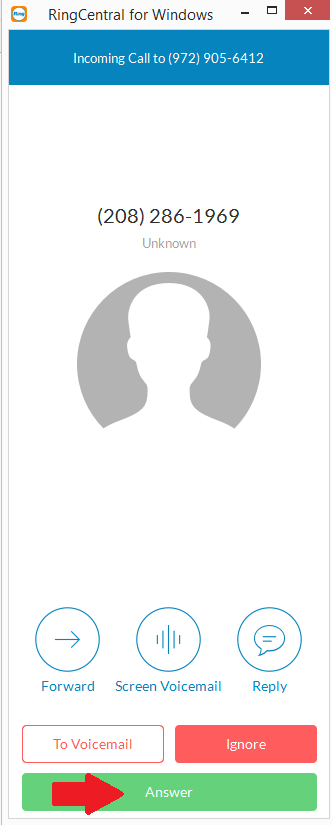
4. You should now hear the other line ringing out to whom you intended to call.
Hint: Depending on your RingCentral for Windows app settings, you may or may not be prompted to ‘Dial 1’ before the call is connected. You can change these settings.
NEXT: Send & Receive SMS/Text messages in Exelare – using RingCentral